End-to-end • AML Compliance
Scaling AML
Multi-User
Investigations
Redesigning OKX's case management system from a single-user tool into a scalable investigation platform - enabling L2 analysts to handle complex multi-user cases, per-user SAR decisions, and AI-assisted screening without leaving the system.
High
L2 open case backlog
30+
Users per master case
-90%
Reduction in verification effort
// The problem
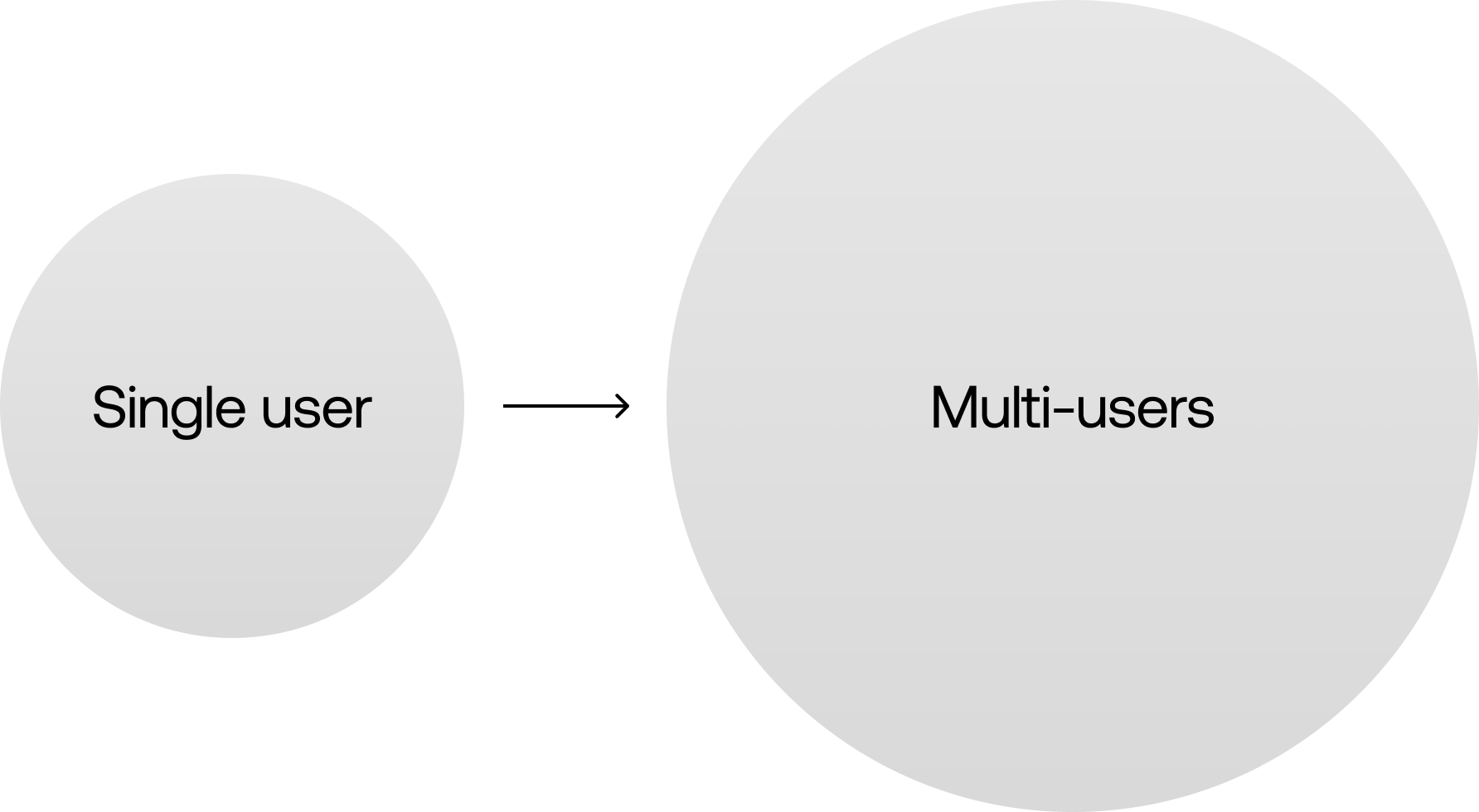
The system supported multi-user data.
Not multi-user decision-making.
AML investigations increasingly involve networks of related accounts - but our CMS was designed for single-user review. L2 investigators were forced to exit the system entirely, managing evidence in Google Sheets and assembling reports manually.
L2 handles ~15x fewer cases per week than L1, but carries a backlog ~4x larger. At current throughput, clearing the queue would take approximately 2 years.
-
Evidence collection, KYC comparison, and pattern tracking all happened outside the CMS - creating audit gaps and duplicated work.
-
Multi-user existed only as a dropdown. No shared surface for comparison, risk clustering, or cross-user pattern detection.
-
SAR/STR decisions are made per user - but the review page only supported a single case-level conclusion, creating accountability gaps at TL/MLRO review.
-
Investigators were asked to assess identity consistency, but KYC photos weren't surfaced during case evaluation - requiring manual tab-switching.
Research method
Ran a focused Ops & Compliance investigation workshop with L2 investigators and team leads from Singapore, Europe, and Malta FIU teams.
Walkthrough of recent multi-user cases
Evidence packaging & review handoff mapping
Pain-point prioritization with TL and MLRO
// Who we designed for
Three user types, very different needs.
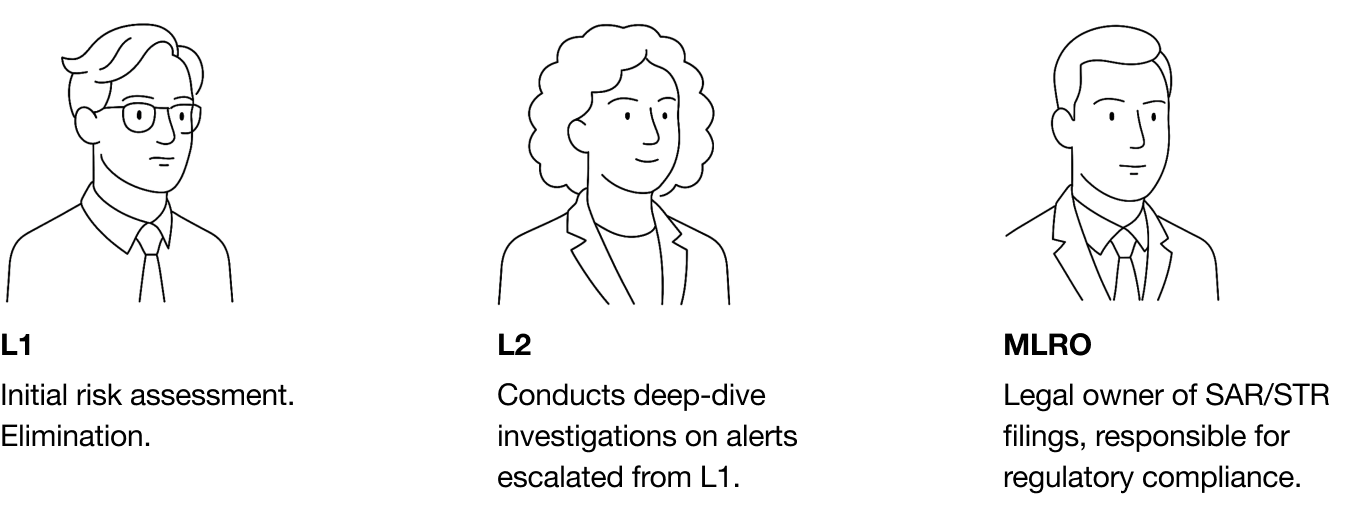
L1 investigator
Alert Reviewer
Legitimacy checks Initial risk assessment, alert triage, transaction monitoring. High volume - 7.8k cases per week.
Single-user focus Basic due diligence: customer profile, account activity, onboarding info. Escalates when patterns emerge.
L2 investigator
Case Analyst
Complex network patterns Transactions spanning multiple accounts, high-velocity transfers, layering activity across 30+ related users.
External dependency by default Pivot tables, manual KYC review, master case spreadsheets - all happening outside the system.
External output accountability Files Suspicious Activity Reports (SARs), escalates to TL and MLRO. Per-user decisions required.
MLRO
Final Reviewer
Regulatory sign-off Final authority on SAR filing decisions and offboarding actions. Accountable to regulators if a decision is challenged.
One-pass validation Cannot afford to chase clarification or re-investigate. Needs every decision, rationale, and evidence trail ready on arrival.
Cross-case pattern awareness Reviews decisions across multiple L2 cases. Needs consistency in how findings are documented and outcomes are framed.
// Success framework
Defined across the full investigation lifecycle.
Because we couldn't redesign the entire AML platform, success was defined per stage - enabling scope tradeoffs without losing north star clarity.
01
Investigate
Investigators can quickly scan, compare, and prioritize multiple related users within a single case.
// Multi-user clarity
02
Document
Evidence is captured directly in the case workflow, alongside the decisions it supports.
// Evidence in-flow
03
Decide
Each user has a clear, explicit outcome - SAR, offboard, retain - with rationale recorded.
// Per-user outcomes
04
Review
Reviewers can validate decisions in one pass, without requesting additional clarification.
// No rework
04
Audit
All investigation steps, evidence, and decisions are traceable and reviewable post-closure.
// Traceability
// Design solutions
Three deep dives.
Scoped with PM. Each solution directly addresses a workflow breakdown identified in research.
Deep dive 1 • Case Info Page
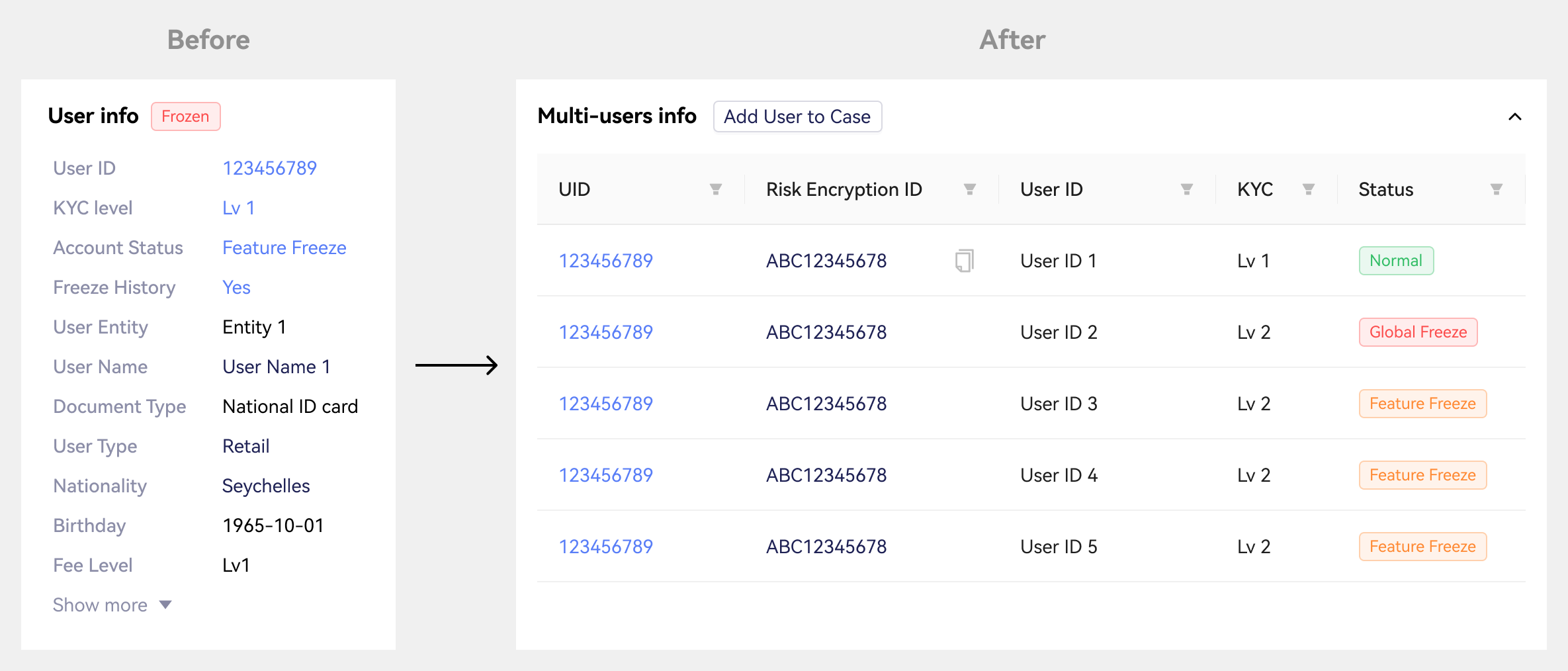
Multi-user comparision table
Users were navigation targets - you could switch between them via a dropdown, but there was no shared surface for comparison. We shifted to a table model that treats users as analyzable entities. Risk score, KYC status, freeze history, CRR score, and recommendation are now scannable across all users at once.
Before
Dropdown-based user switching
No comparison surface
Pattern detection impossible at scale
After
Comparison table with sortable columns
Risk, KYC, status all visible at once
Pagination for 30+ user cases
Deep dive 2 • Evidence in-flow
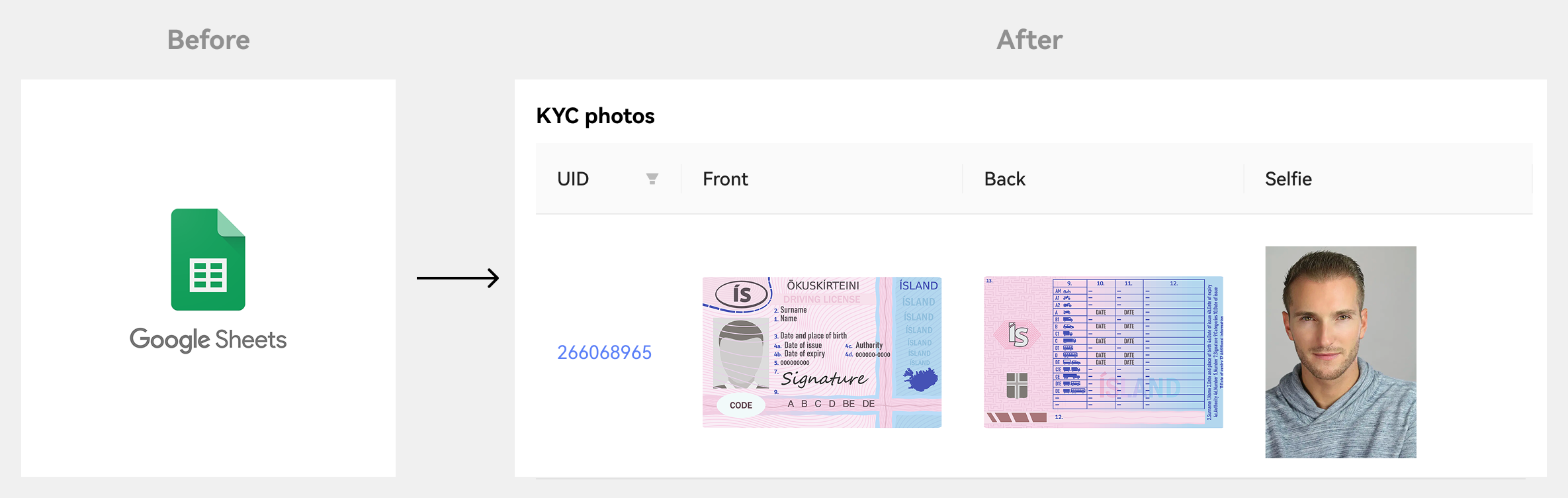
Bulk KYC Viewer & progressive disclosure
Investigators were asked to evaluate identity consistency - but KYC photos weren't surfaced during case evaluation. We added a collapsible KYC viewer showing all user photos in one grid, while using progressive disclosure to keep the primary investigation surface uncluttered.
Before
KYC accessed via separated system
Manual tab-switching per user
No cross-user visual comparsion
After
All KYC in one collapsible modal
Front / Back / Selfie per user
Risk detail in on-demand drawers
Deep dive 3 • Decision layer
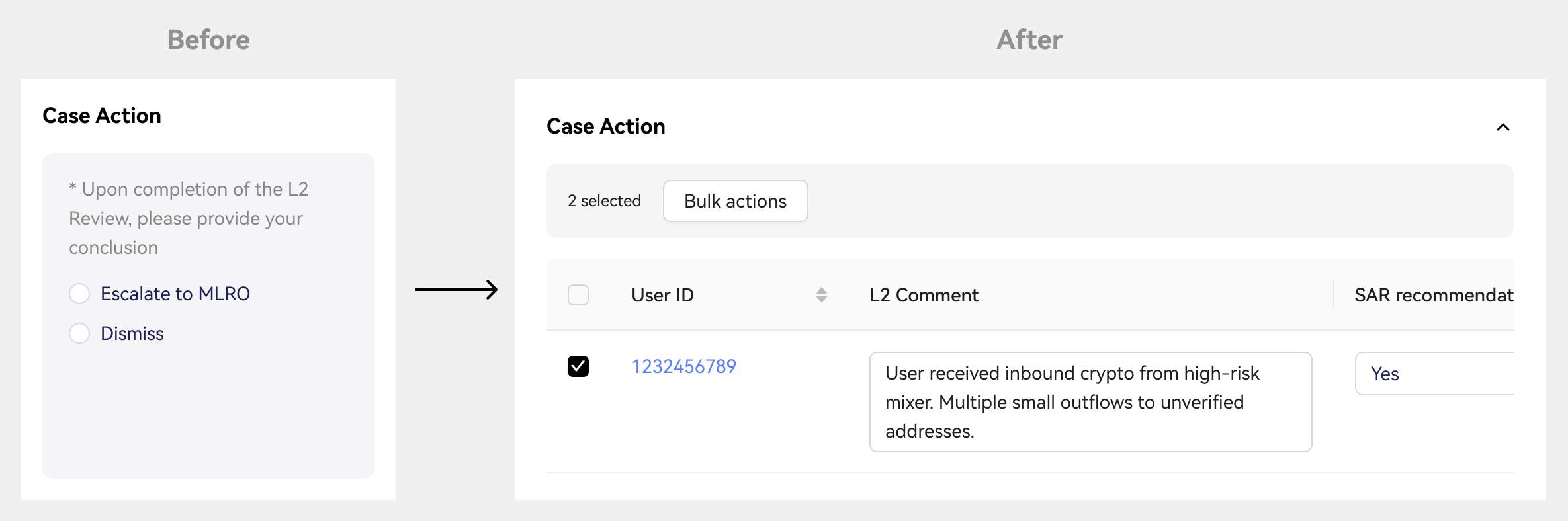
Per-user case action with role-scoped decisioning
The review page had a single case-level conclusion, but SAR/STR filings and offboarding decisions are made per user. We redesigned the Case Action panel as a per-user decision table - with L2 comments, SAR recommendation, SAR decision, offboarding outcome, and MLRO summary. Bulk actions available with individual traceability. Editable fields scoped by role.
Before
Single case-level conclusion
Ambigous TL/MLRO accountability
No structured per-user rationale
After
Per-user SAR + offboarding decision
Role-gated edit access (L2/TL/MLRO)
Bulk apply with individual override
// Next layer • AI integration
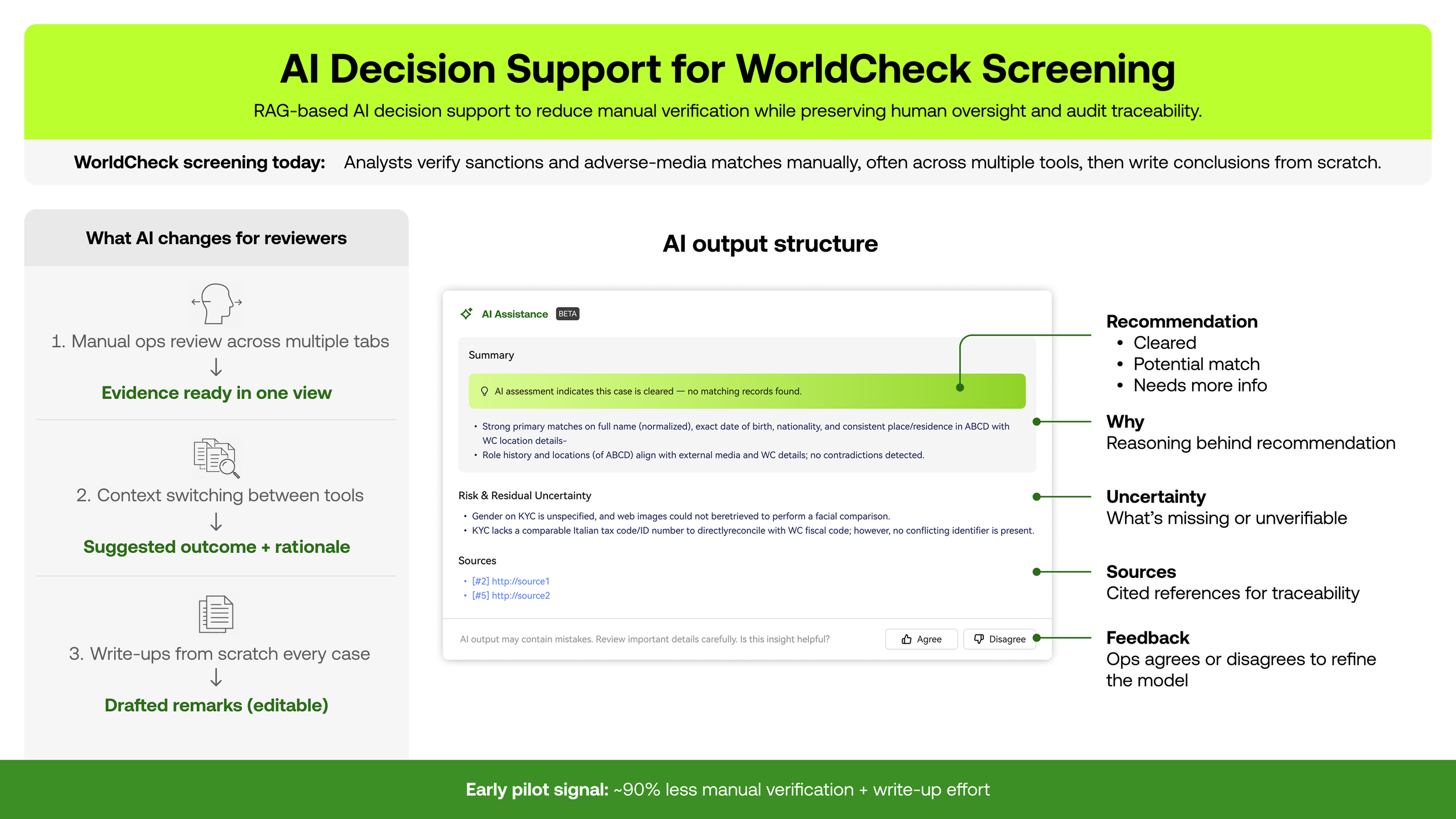
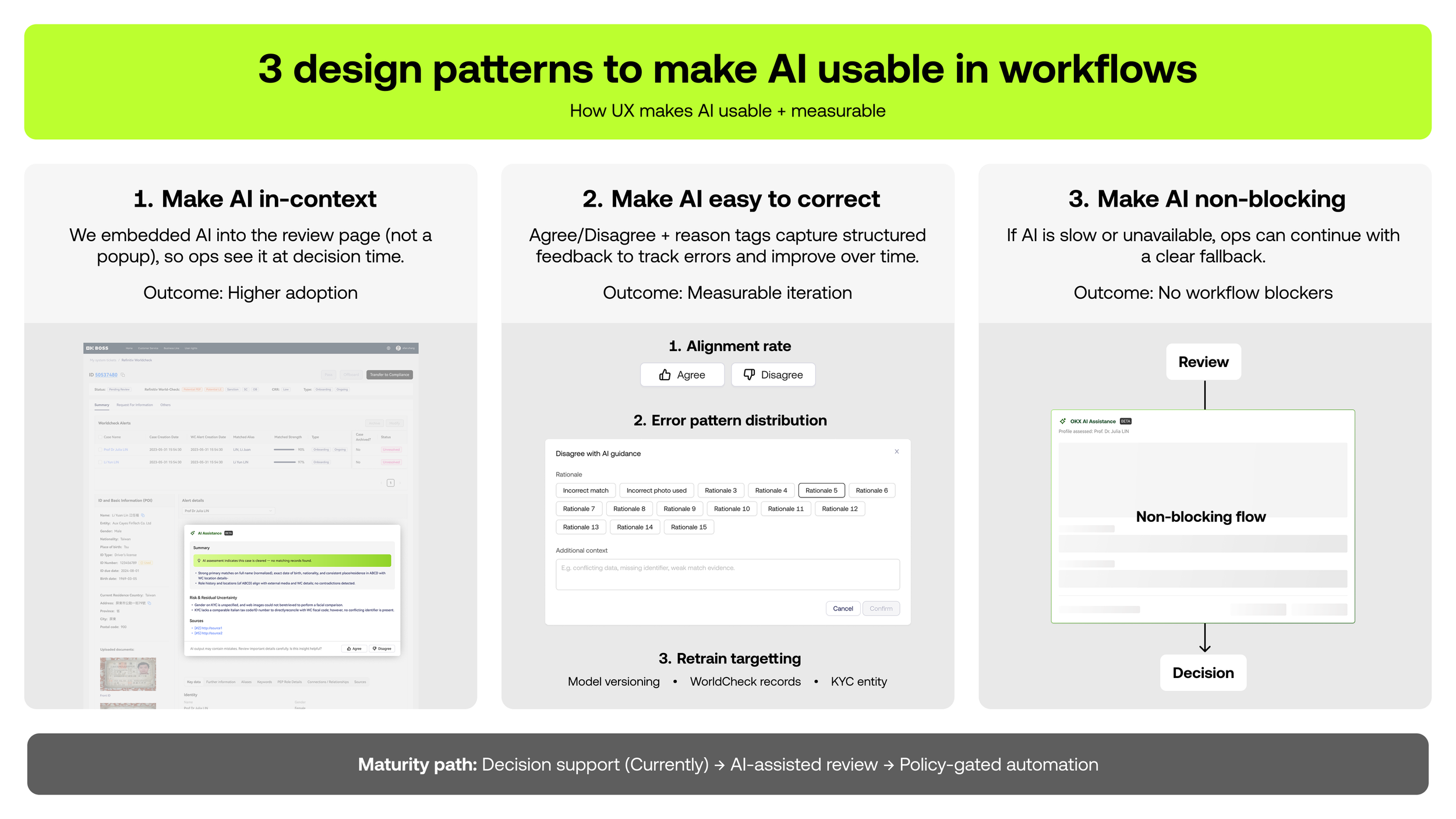
From manual screening to AI-assisted review
Following the multi-user CMS work, I led the UX design for AI decision support - starting with WorldCheck sanctions screening, with the same patterns now extending into the AML case workflow.
// Key research insights
What the field research uncovered.

Single-user UI breaks down at scale
Dropdown-based selection works for 2-3 users, but collapses when cases involve 30+ related accounts. Investigators were operating pivot tables and creating master cases externally - clear signal of a capability gap, not a training problem.
// UX scalability
KYC evidence not surfaced at decision point
Dropdown-based selection works for 2-3 users, but collapses when cases involve 30+ related accounts. Investigators were operating pivot tables and creating master cases externally - clear signal of a capability gap, not a training problem.
// Evidence fragmentation
Investigation happens outside the system
External documents - Google Sheets with KYC screenshots, pivot tables, manual case reports - had become the real investigation workspace. The CMS was a form, not a tool. Investigators were working around it, not with it.
// System displacement
// Design decisions
Tradeoffs made under pressure
Shipping into a live compliance system with zero tolerance for audit gaps required deliberate tradeoffs at every layer.
Tradeoff 01
Speed vs completeness
Roadmap / delivery
The tension
Unblocking investigations quickly vs. waiting for deeper analytical capabilities like cross-user risk analytics and automation.
Decision
Shipped decision clarity first within existing workflows. Deferred advanced analytics to later phases.
Tradeoff 02
Single-user vs multi-user
Interaction model
The tension
A CMS built for single-user flows vs. the need to assess and compare multiple users in one case without disrupting familiar patterns.
Decision
Extended familiar single-user patterns incrementally. Embedded multi-user comparison into existing case layouts instead of introducing a new model.
Tradeoff 03
Explicitness vs. cognitive load
Information design
The tension
High-stakes decisions require explicit confirmation and accountability - but surfacing all information simultaneously slowed investigators down significantly.
Decision
Decision fields always visible. Risk breakdowns and documents moved into drawers. Consequences explicit at point of action.
Success
Observed impact
Investigators complete multi-user cases without leaving CMS - eliminating Google Sheets dependency for investigation packaging.
✓Clear role ownership established across L2 → TL → MLRO with explicit per-user accountability.
✓Higher reviewer confidence during MLRO review due to explicit per-user outcomes with documented rationale.
✓Reduced reliance on external spreadsheets and manual tracking - evidence now lives in the case record.
Primary metrics tracked
Time saved
To assemble multi-user investigation pack
Lesser rework
Rework / clarification cycles per case
% case completion
Multi-user cases completed fully in CMS
Lower turnover time
Reviewer turnaround L2 → MLRO