UOB Wealth On-the-Go
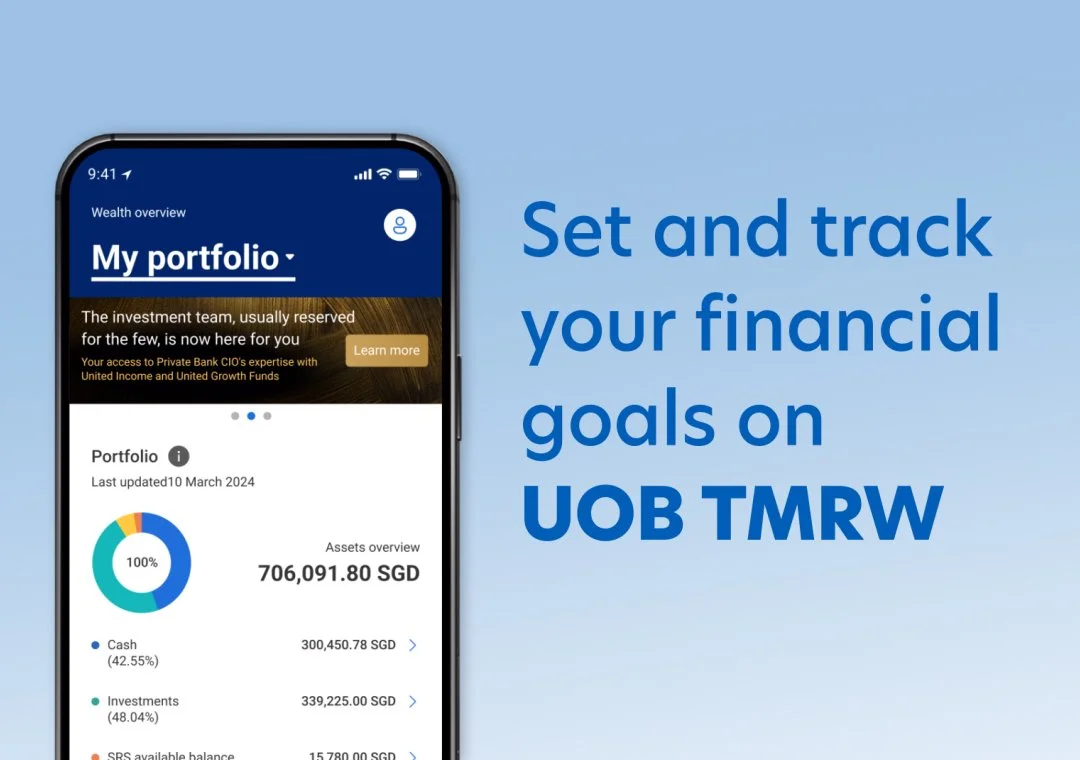
Buy, sell and track unit trusts from your phone.
No branch, no RM.

About
Role: Product Designer for this specific project
Scope: Research • Concepts • UI • Testing • Localisation
Product: Wealth tab in TMRW app
Markets: Singapore (focus), Thailand, Indonesia
The starting point
What is Wealth On-the-Go?
A new Wealth tab inside the TMRW banking app. Customers can buy, sell and track unit trusts themselves.
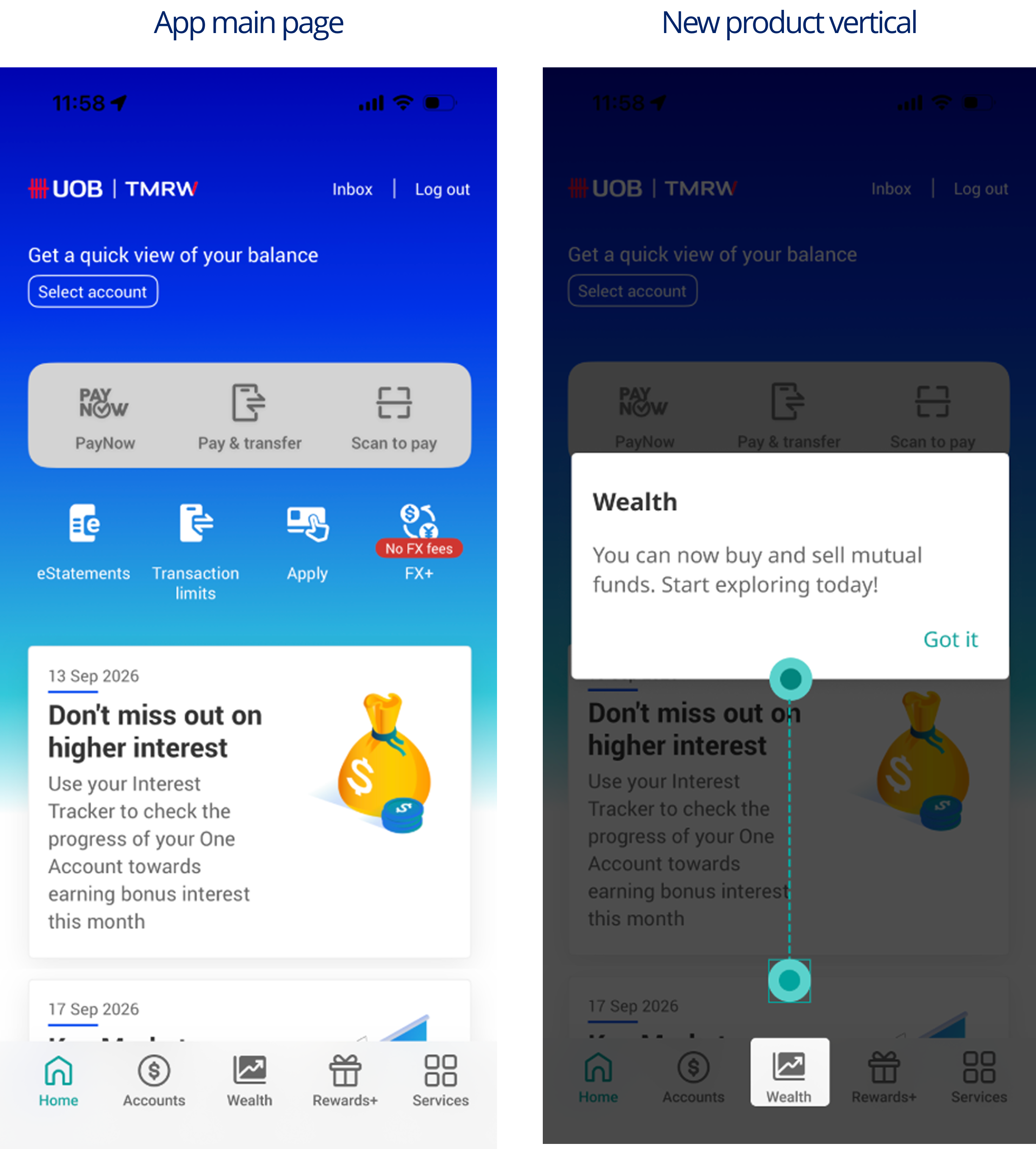
// Problem
Hey Allan, many of our customers don't invest with us.

To invest at UOB, you had to:
Walk in a branch
Contact a Relationship Manager (RM)
Use the traditional web platform
Opportunity:
Capture 89% of all active UOB customers who currently does not invest
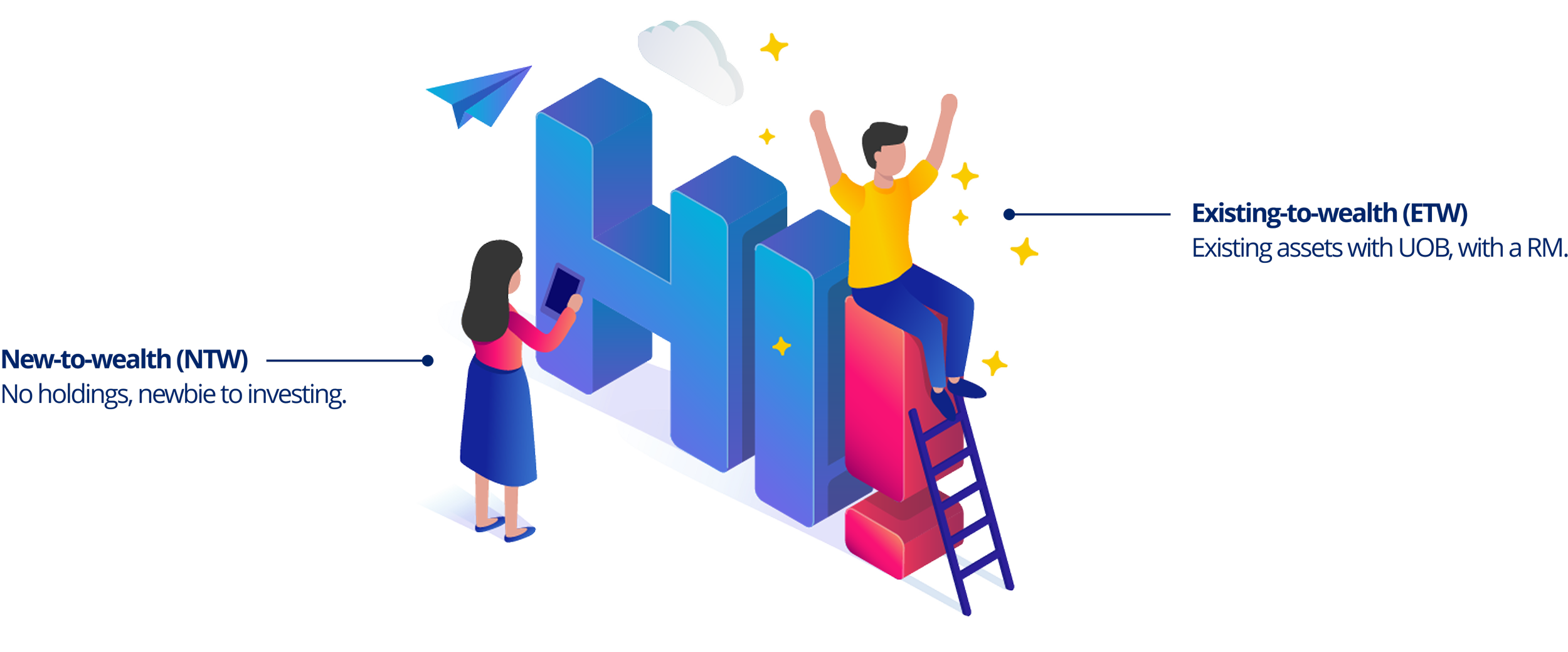
The users
Objectives
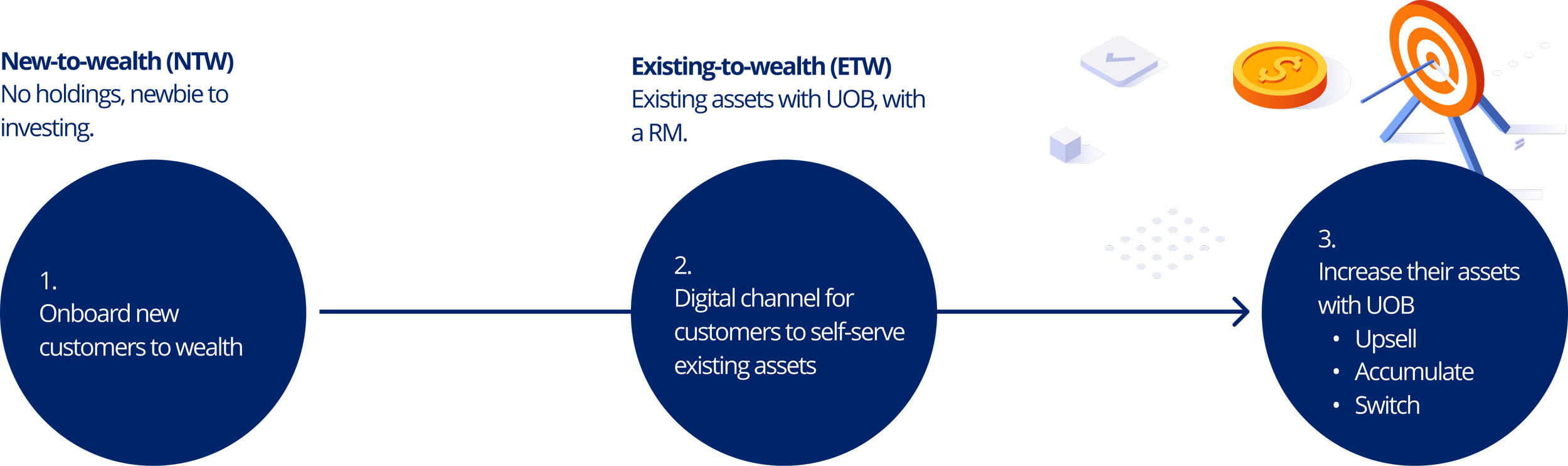
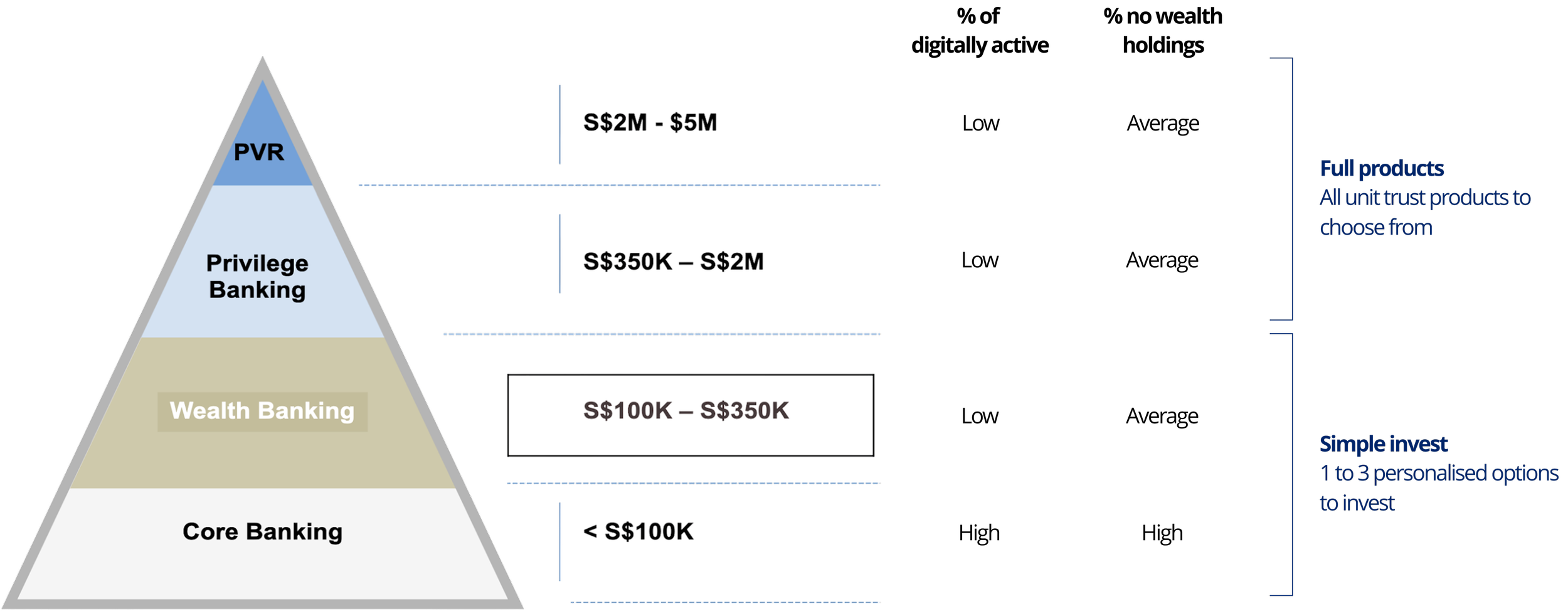
Wealth-on-the-go for every tier
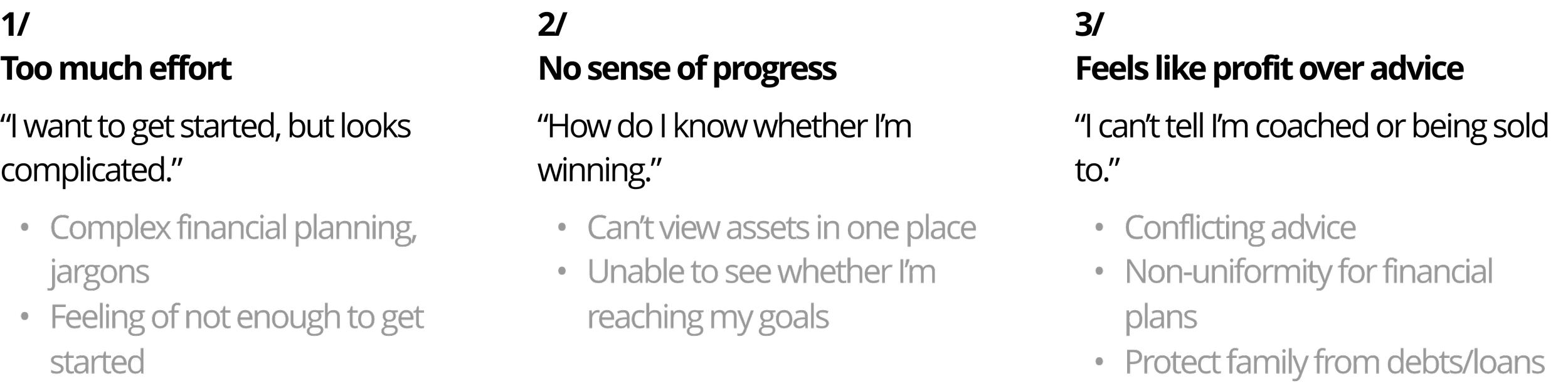
Pain points of investing
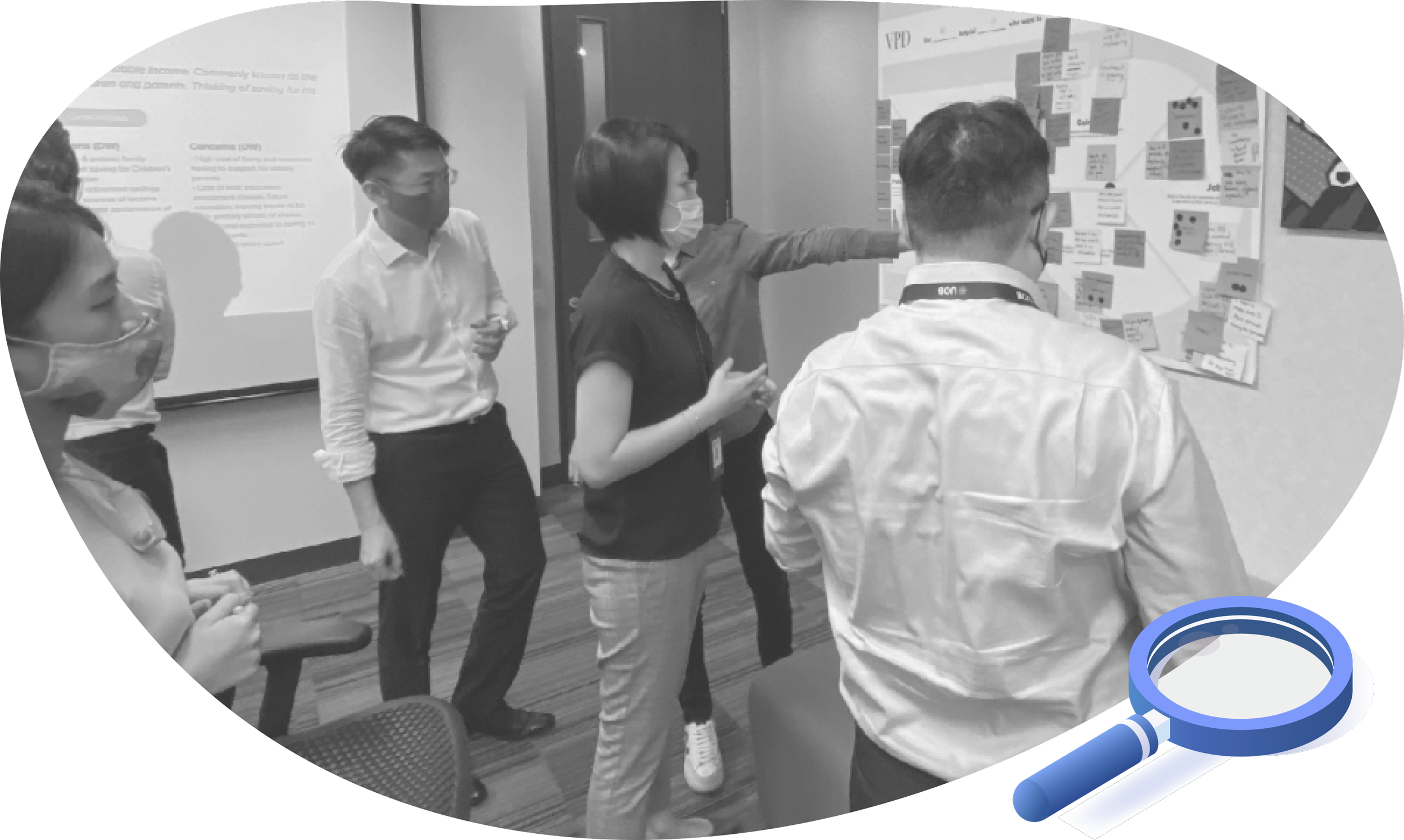
We spoke to our Relationship Managers through workshops and focus groups to understand customer’s pain points as they talk to customers everyday.
Value proposition
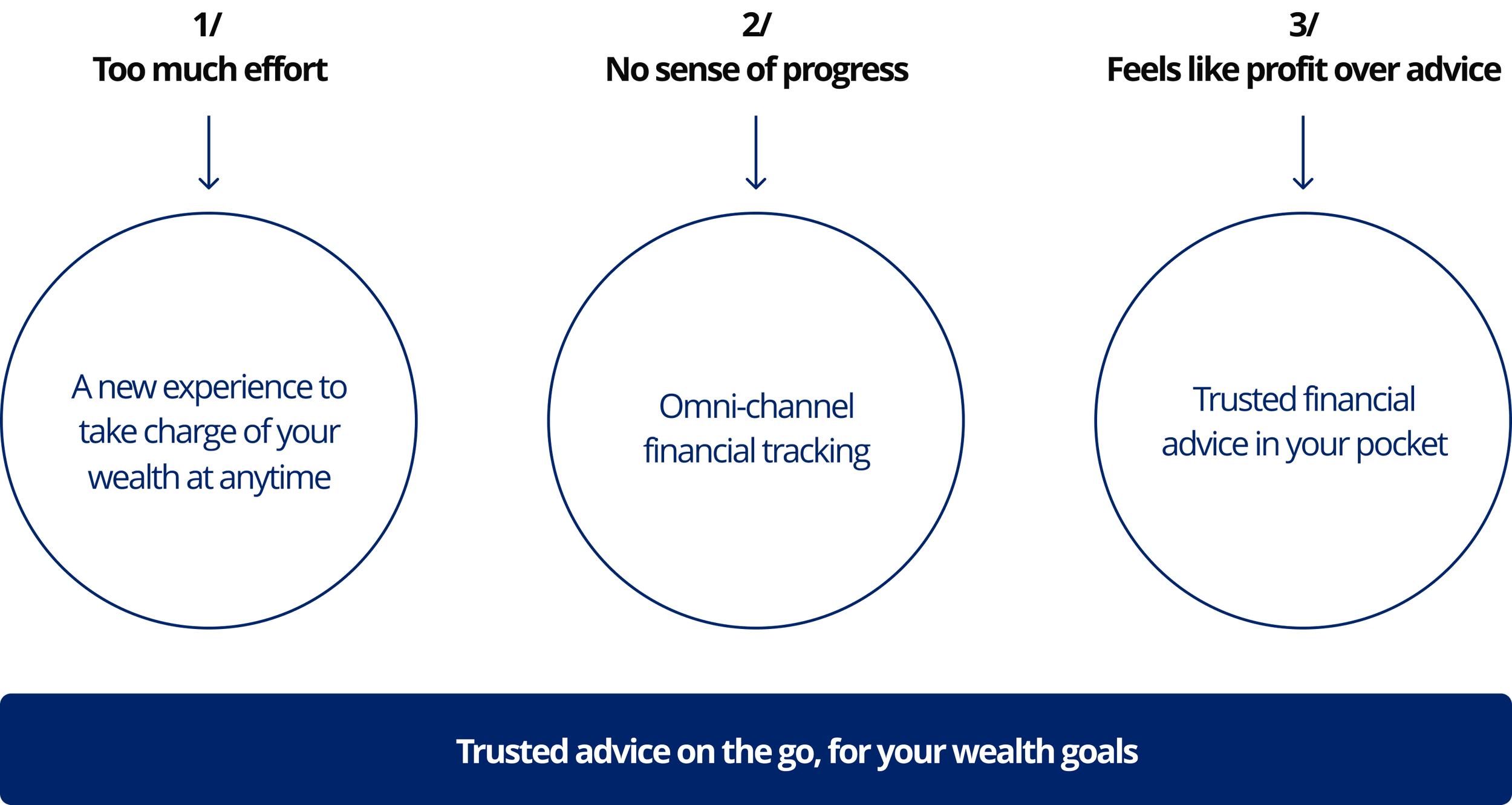
Defining what “Digital wealth” will means with our stakeholders. As a designer, we make sure user’s pain points and perspective is in the room.
Trade-offs we agreed on for UOB-on-the-go
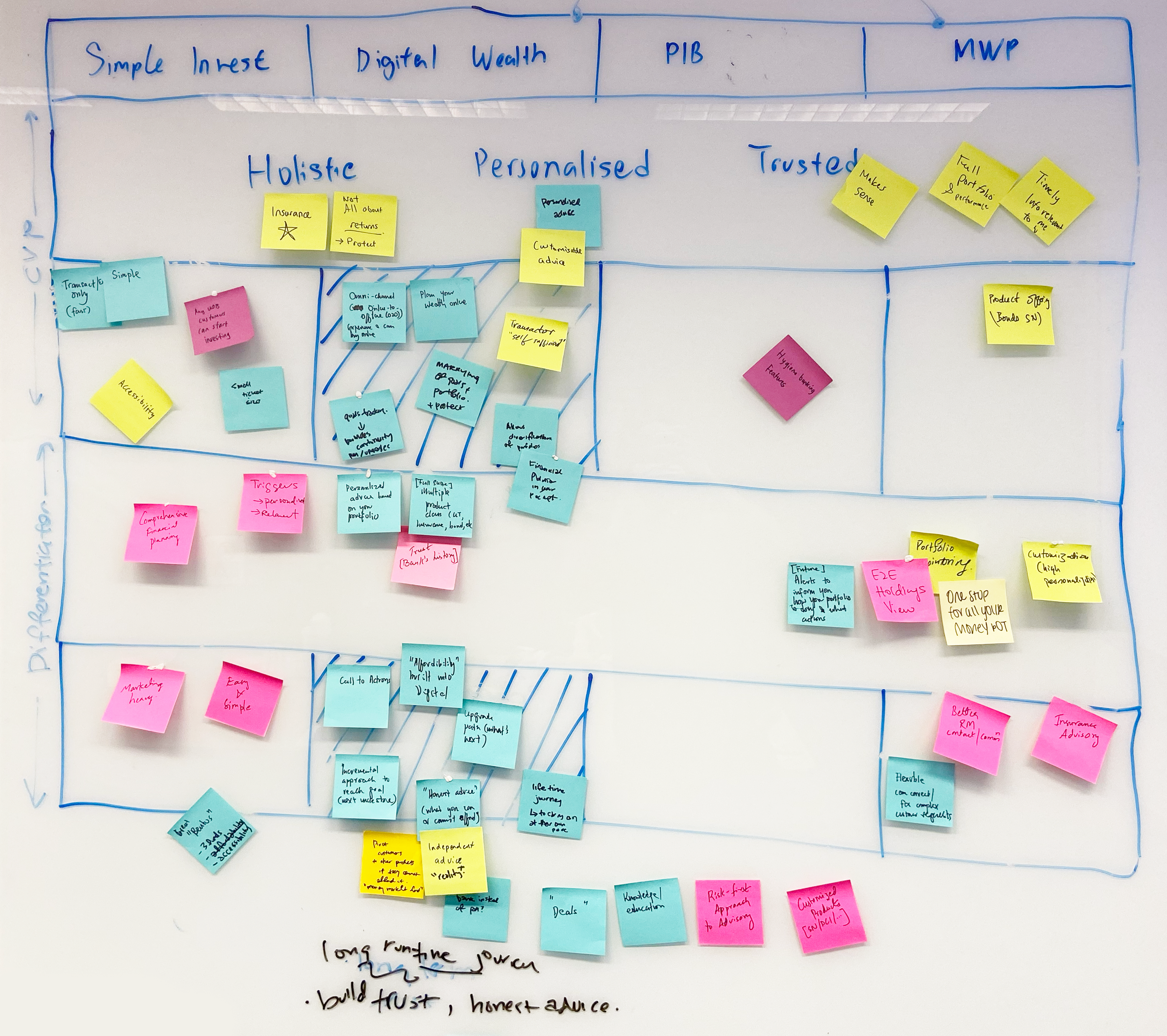
An artifact example of how the value proposition was discussed
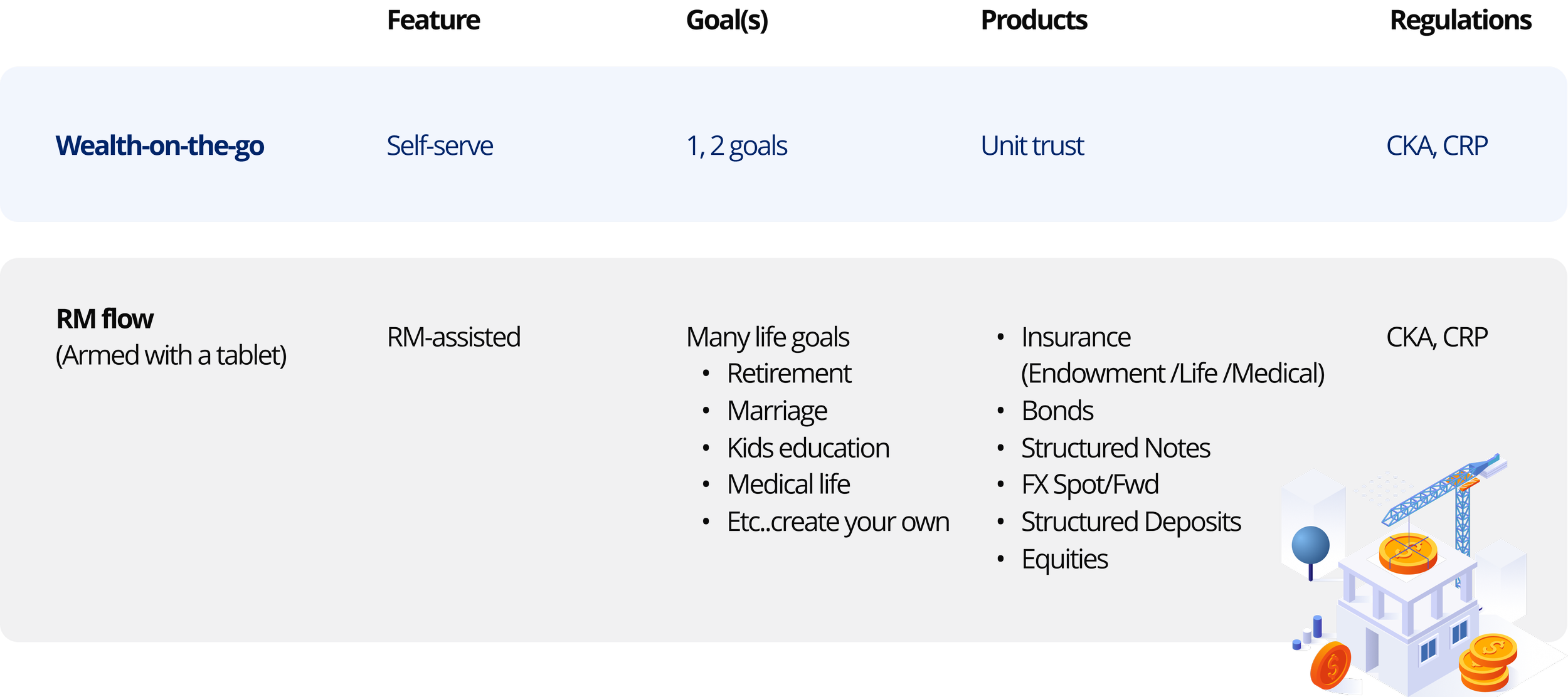
01 / Fewer products
Only unit trusts in the app. RMs still sell the full suite. Fewer options made it easier for first-time investors to choose.
02 / 1 or 2 goals only
Customers set one or two goals, not a full life plan. That’s what RMs are for. Fewer goals made it easier to get started.
03 / Regulation is a given
Customers still need to do the knowledge and risk checks (CKA and CRP), even without an RM. We accepted that and designed around it.
Scope summary
Defining what “Wealth-on-the-go” will means with our stakeholders. As a designer, we make sure user’s pain points and perspective is in the room.
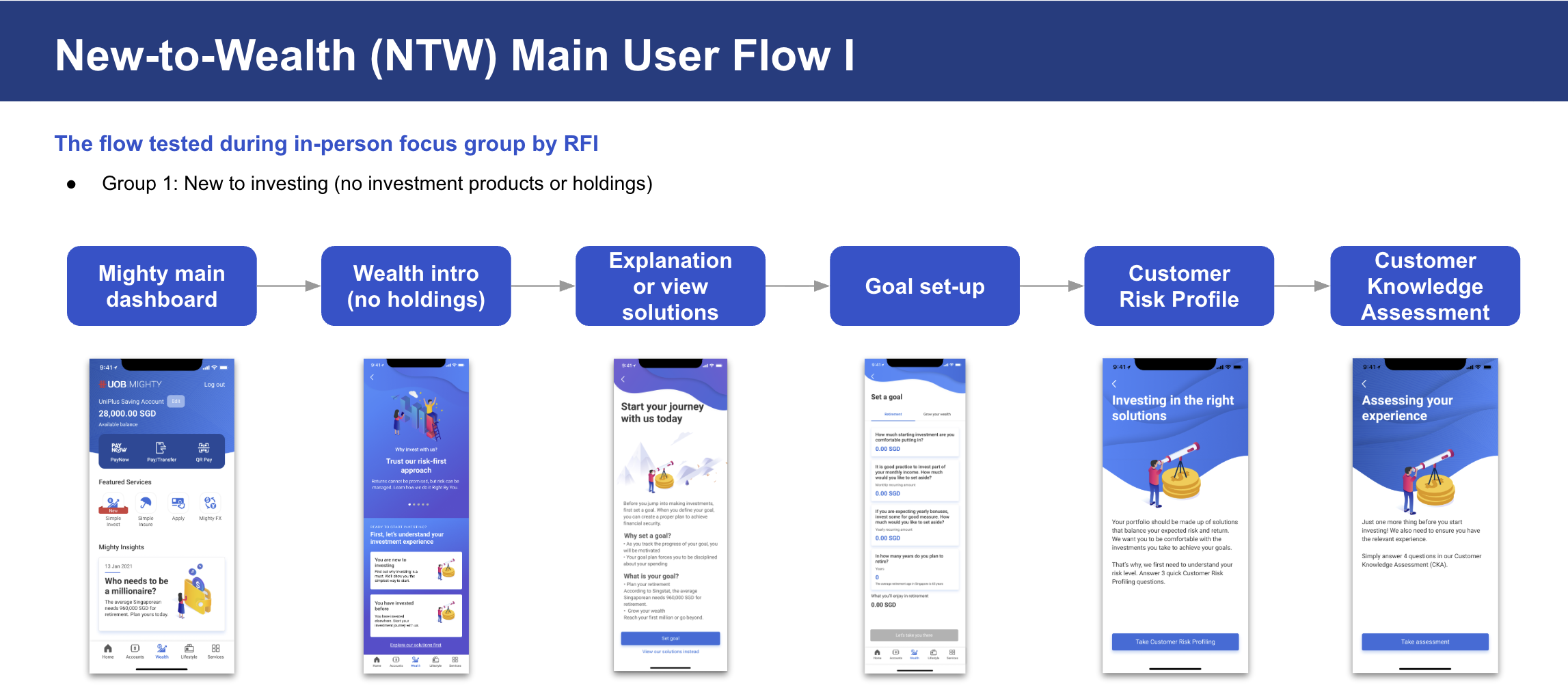
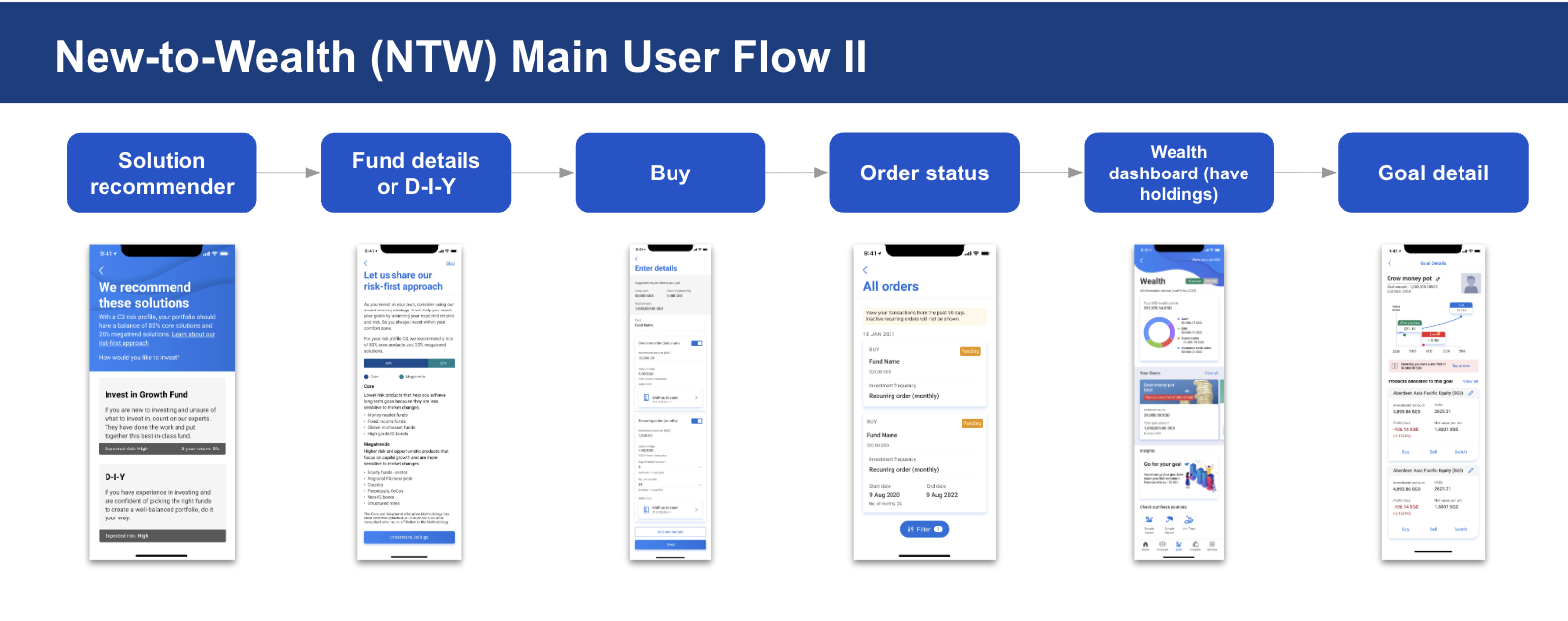
User flow
The first draft for new investors. 12 steps, from the Wealth tab to tracking a goal.
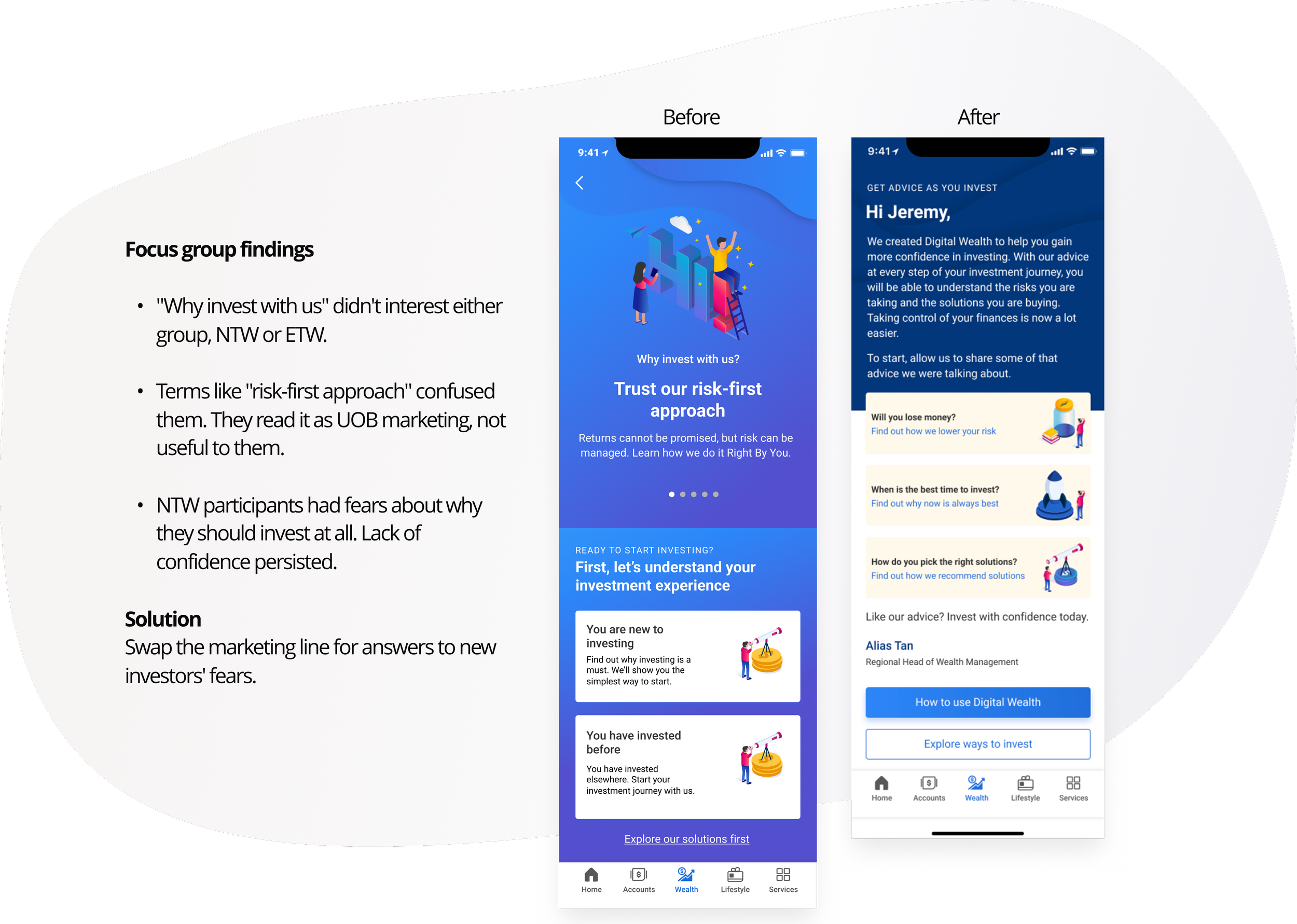
User testing on wealth intro
Iterated through focus group testing and usability rounds. New users got an onboarding state introducing goal-setting before showing investment products.
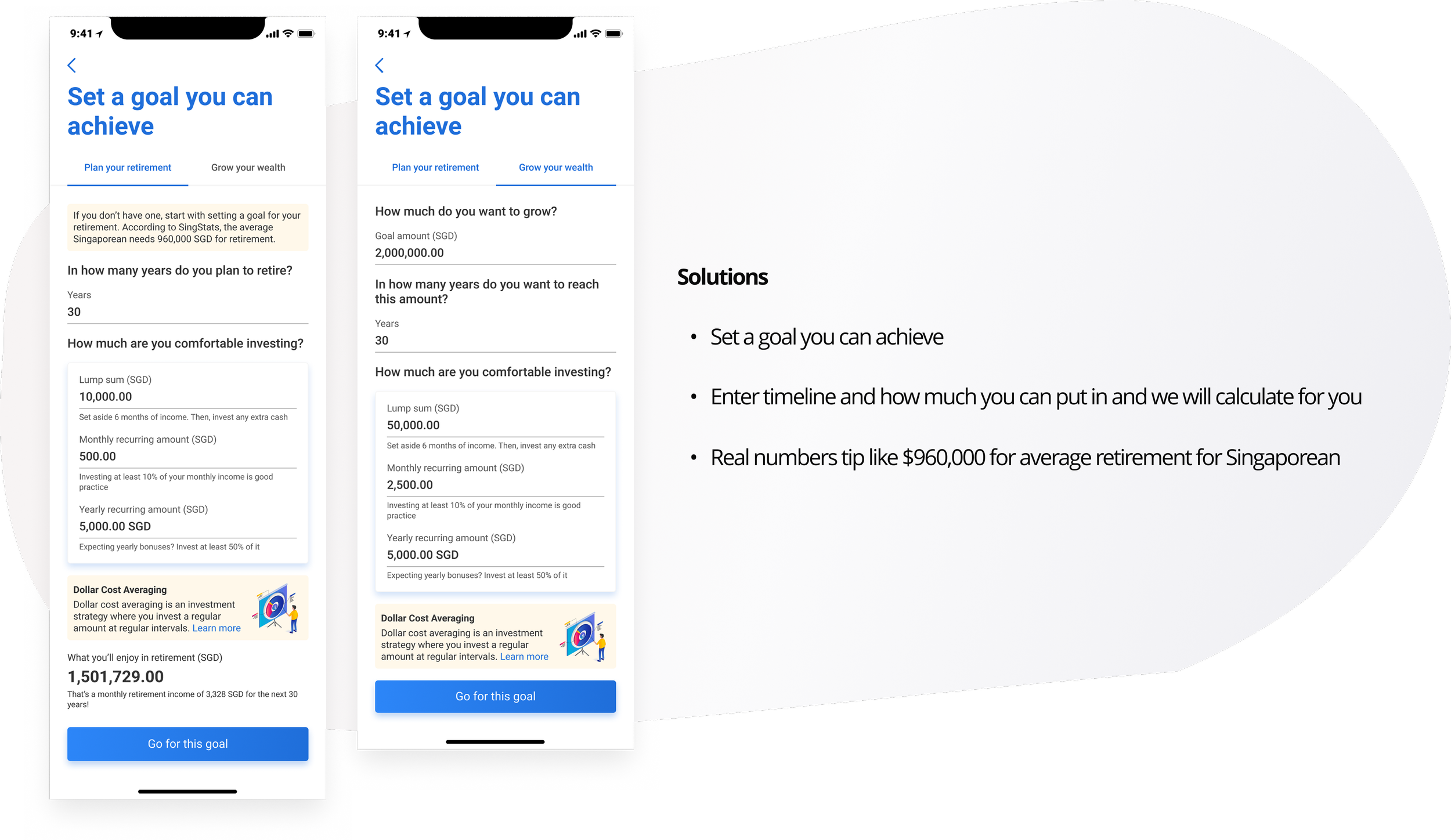
Designing goal calculator
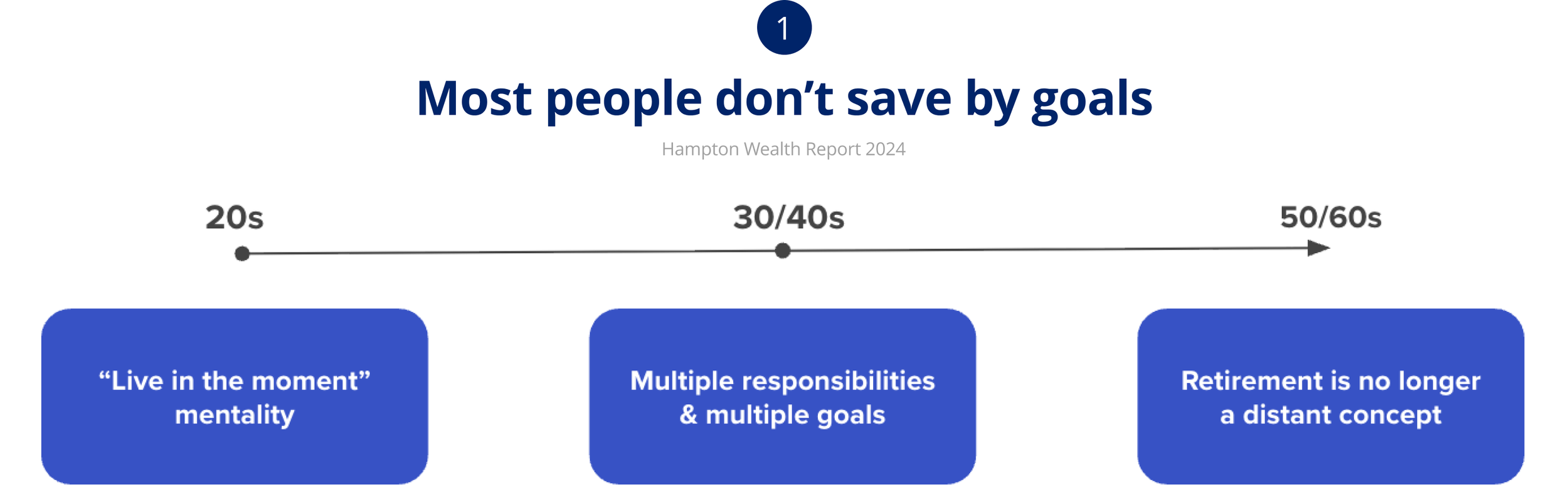
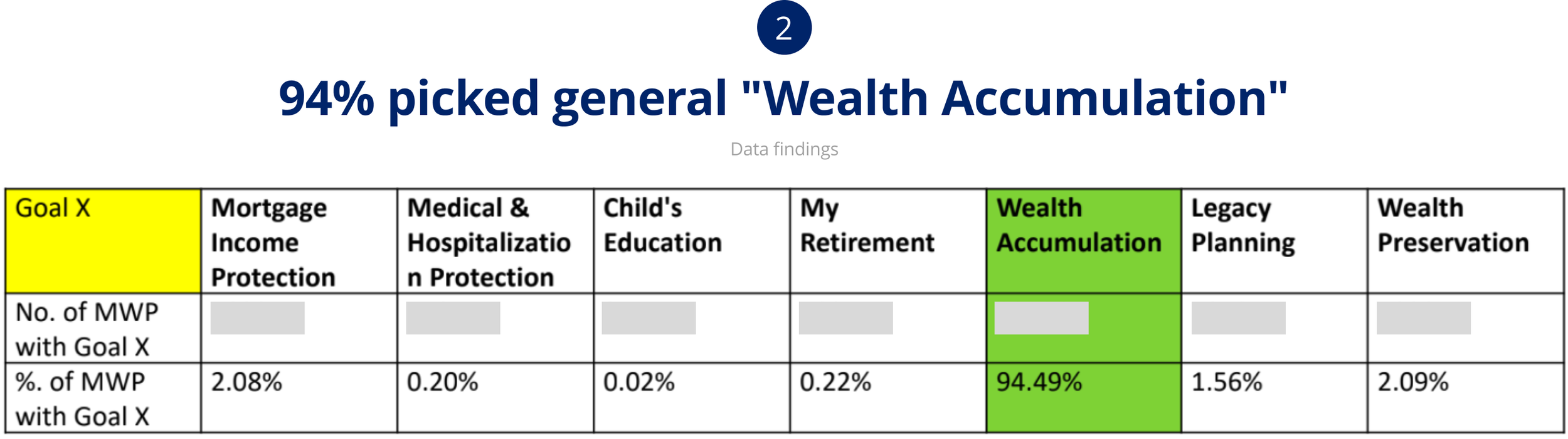
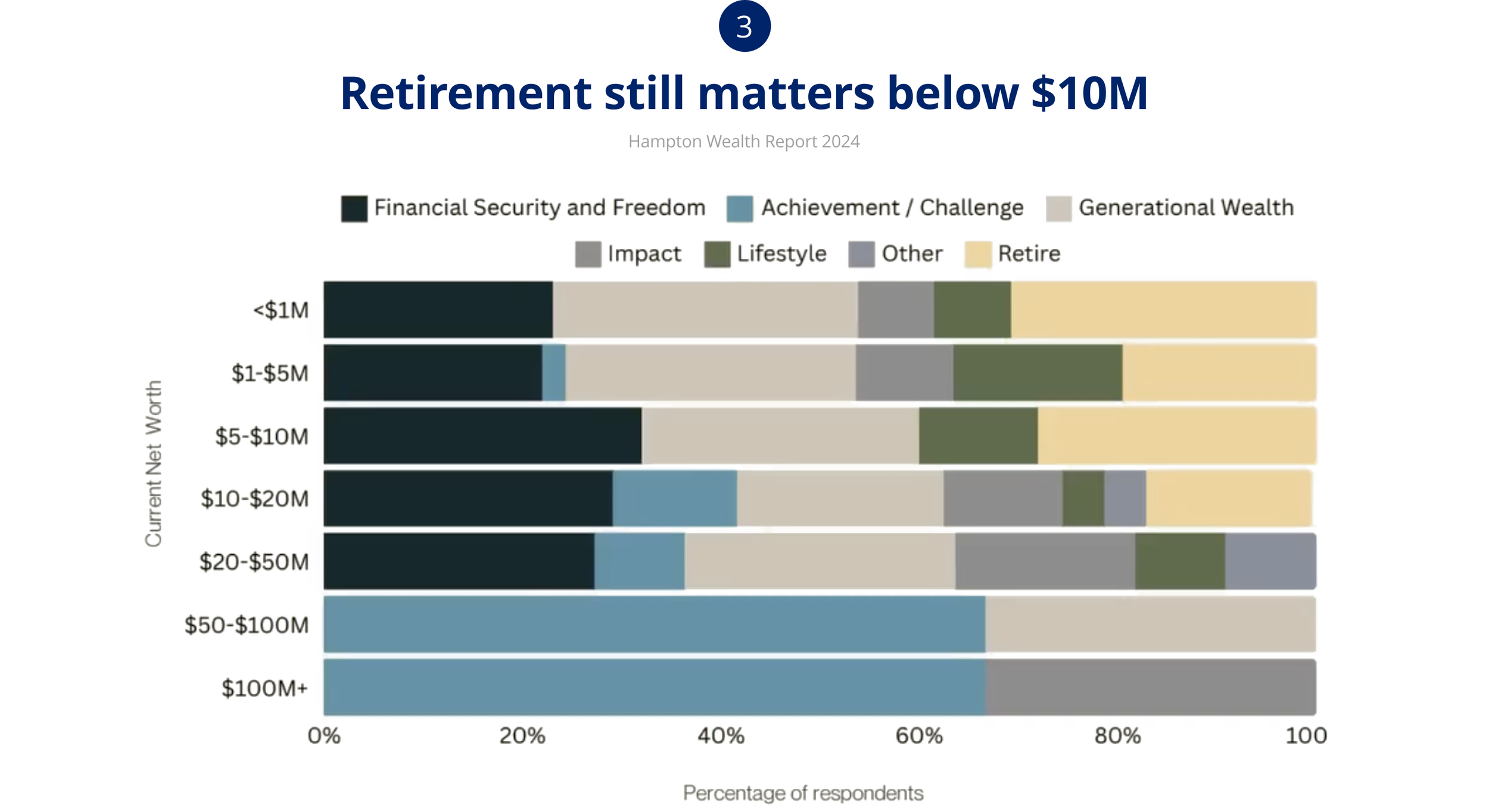
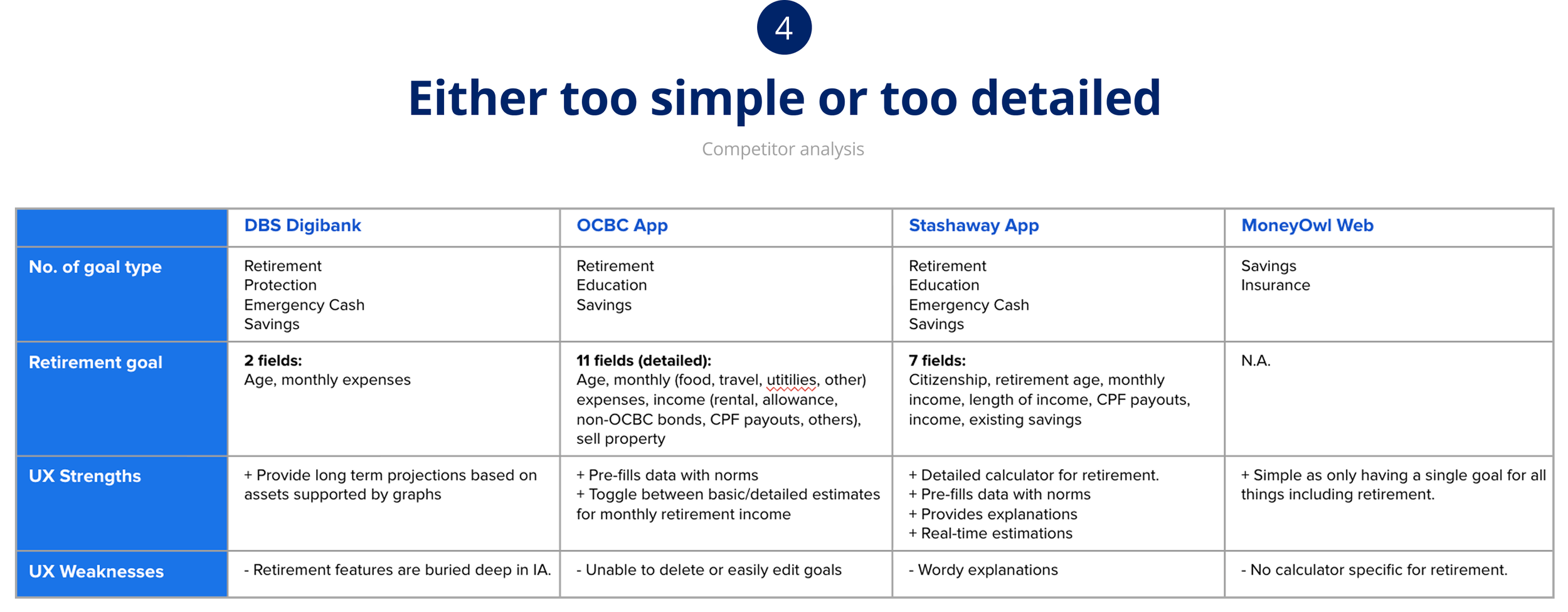
Using a combination of desk research, data, and competitor studies to design for the goal’s calculator.
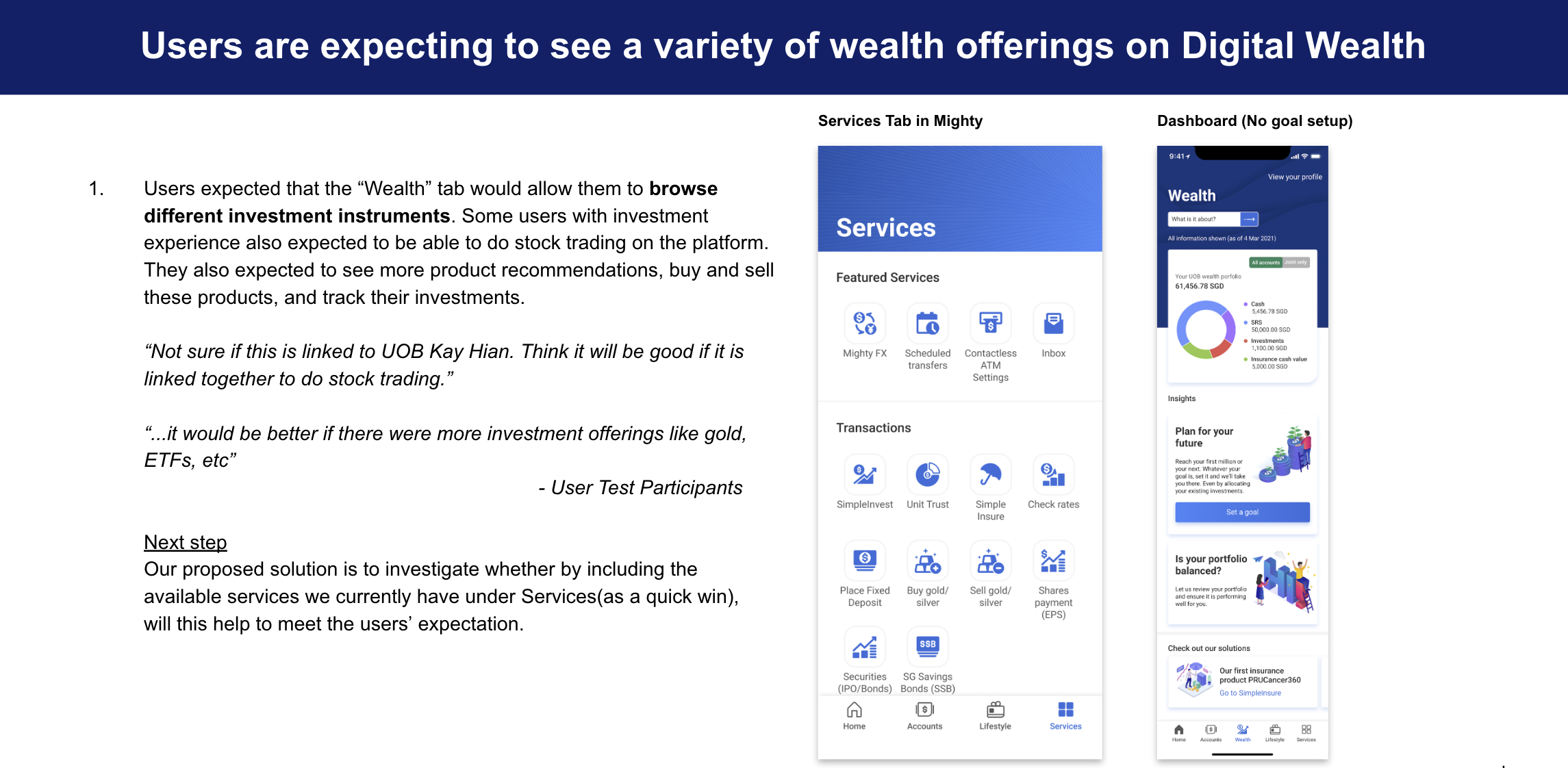
What participants asked for (Parked for phase 2)
Investments outside of UOB
Key in a monthly retirement amount, and work backwards
Income
Debts and mortgages
One-stop shop to allow shares, equities, etc
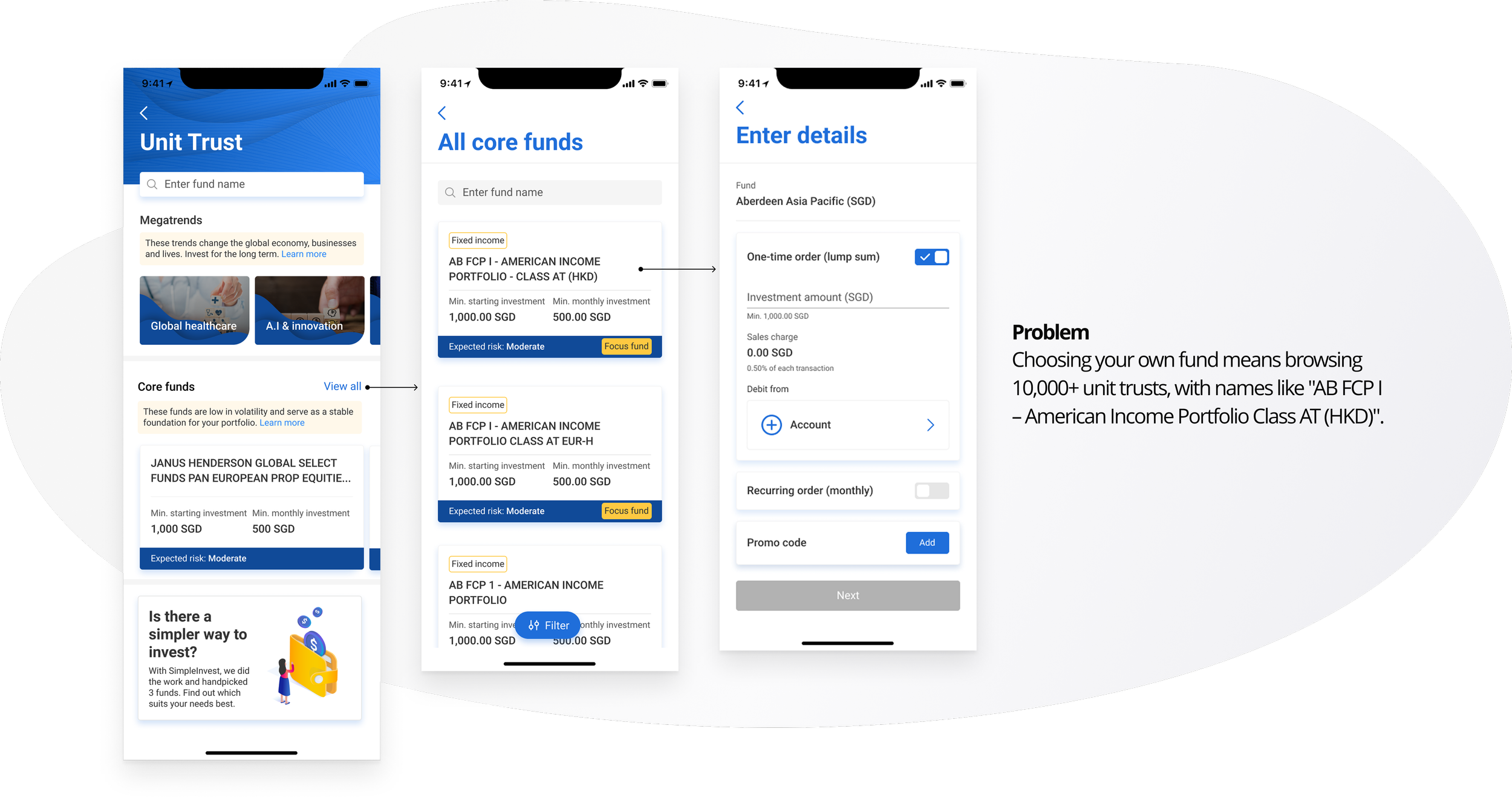
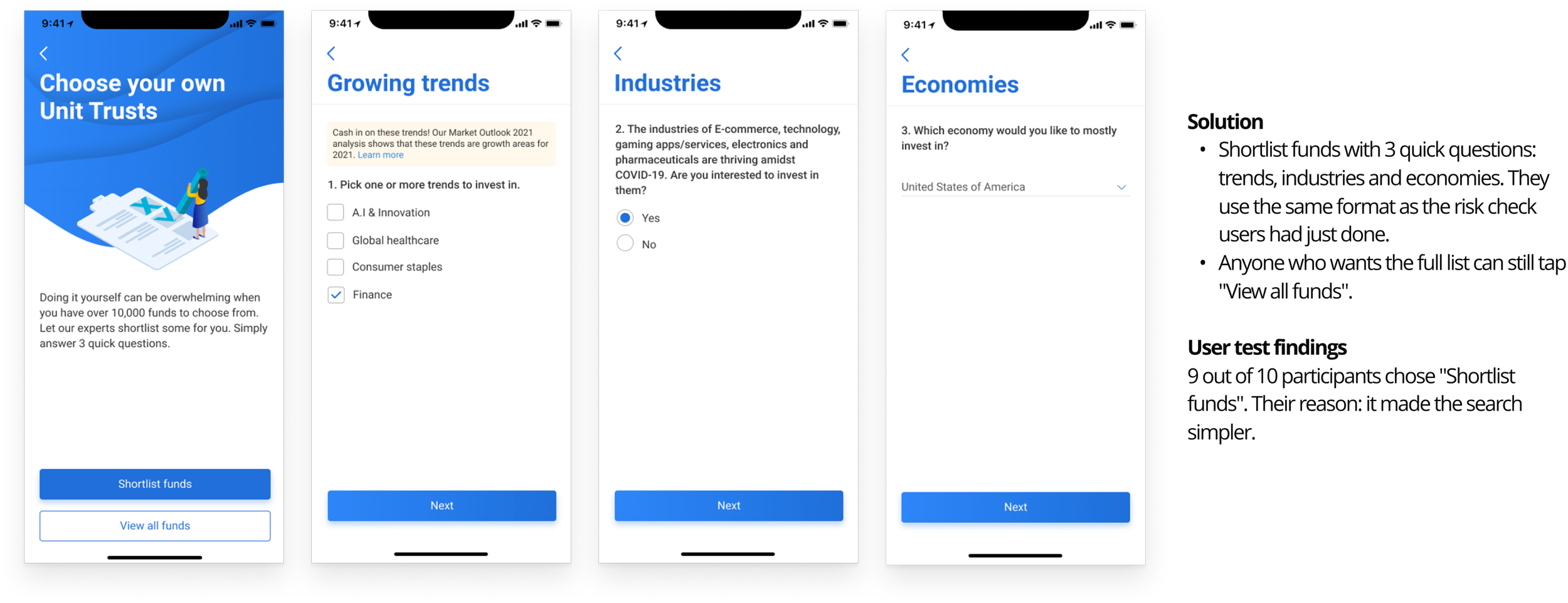
Unit trust selector
How sometimes we can help users narrow selection down
Other considerations
UI
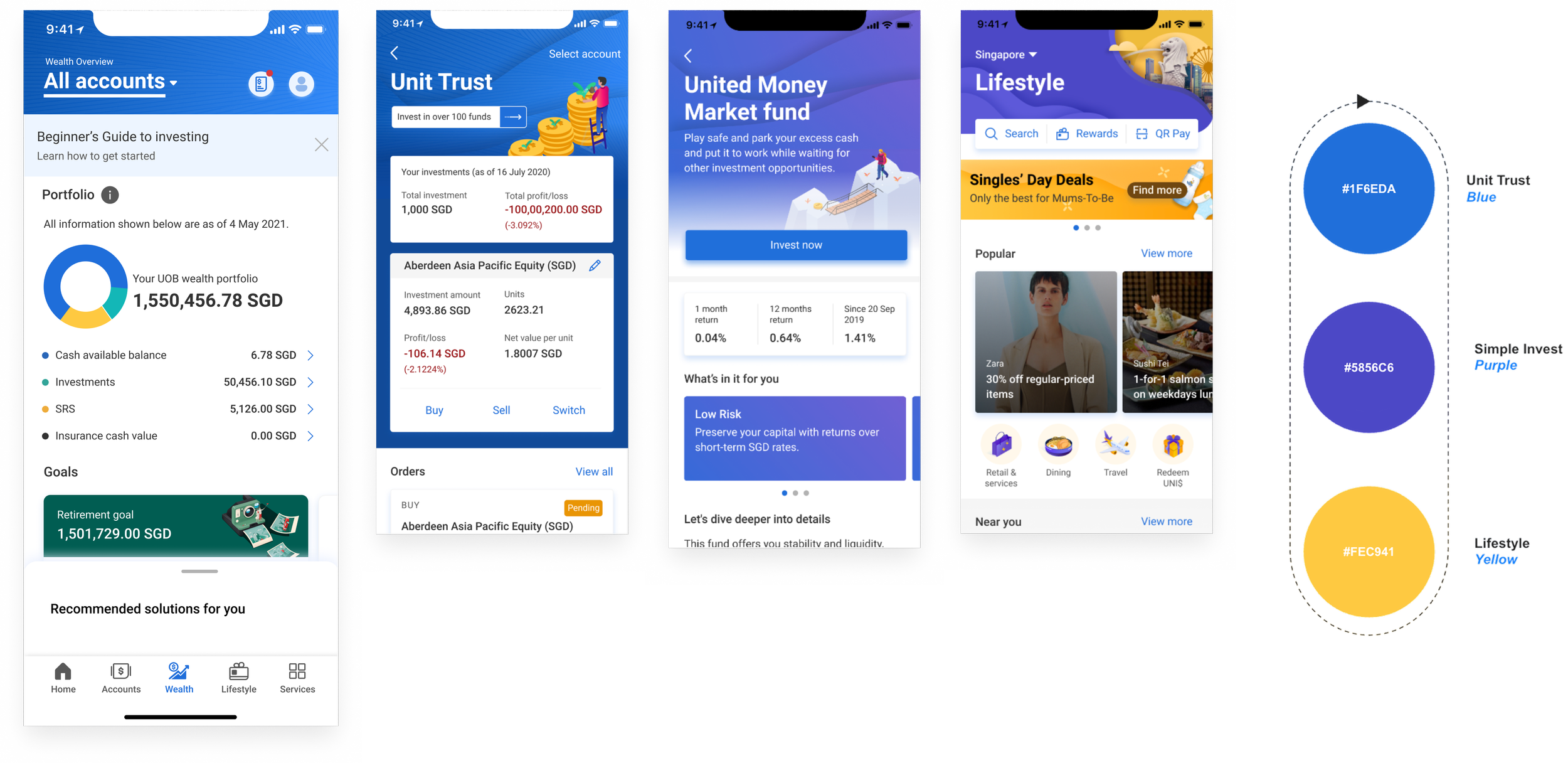
Align with the overall brand of the app
Localisation
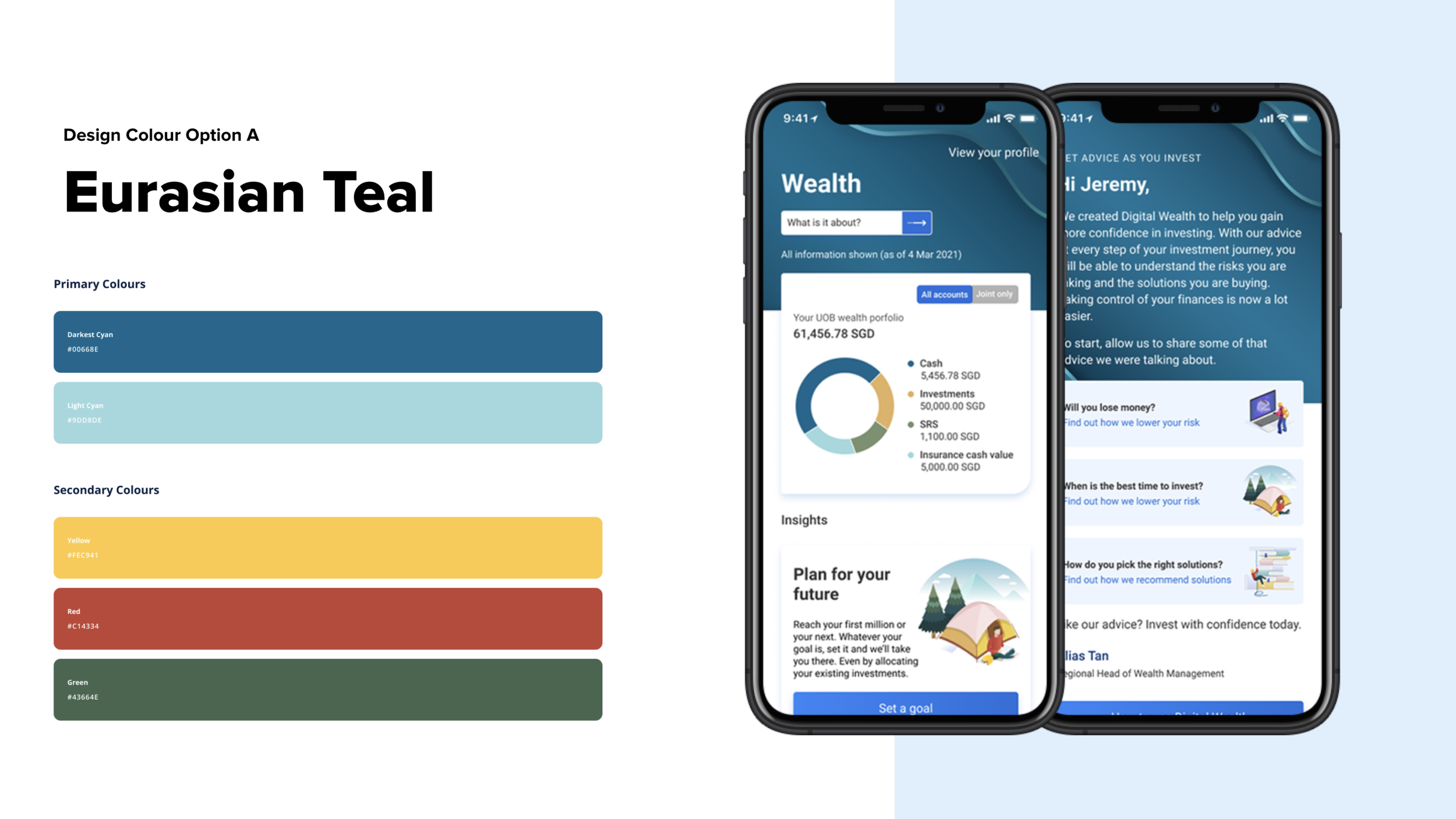
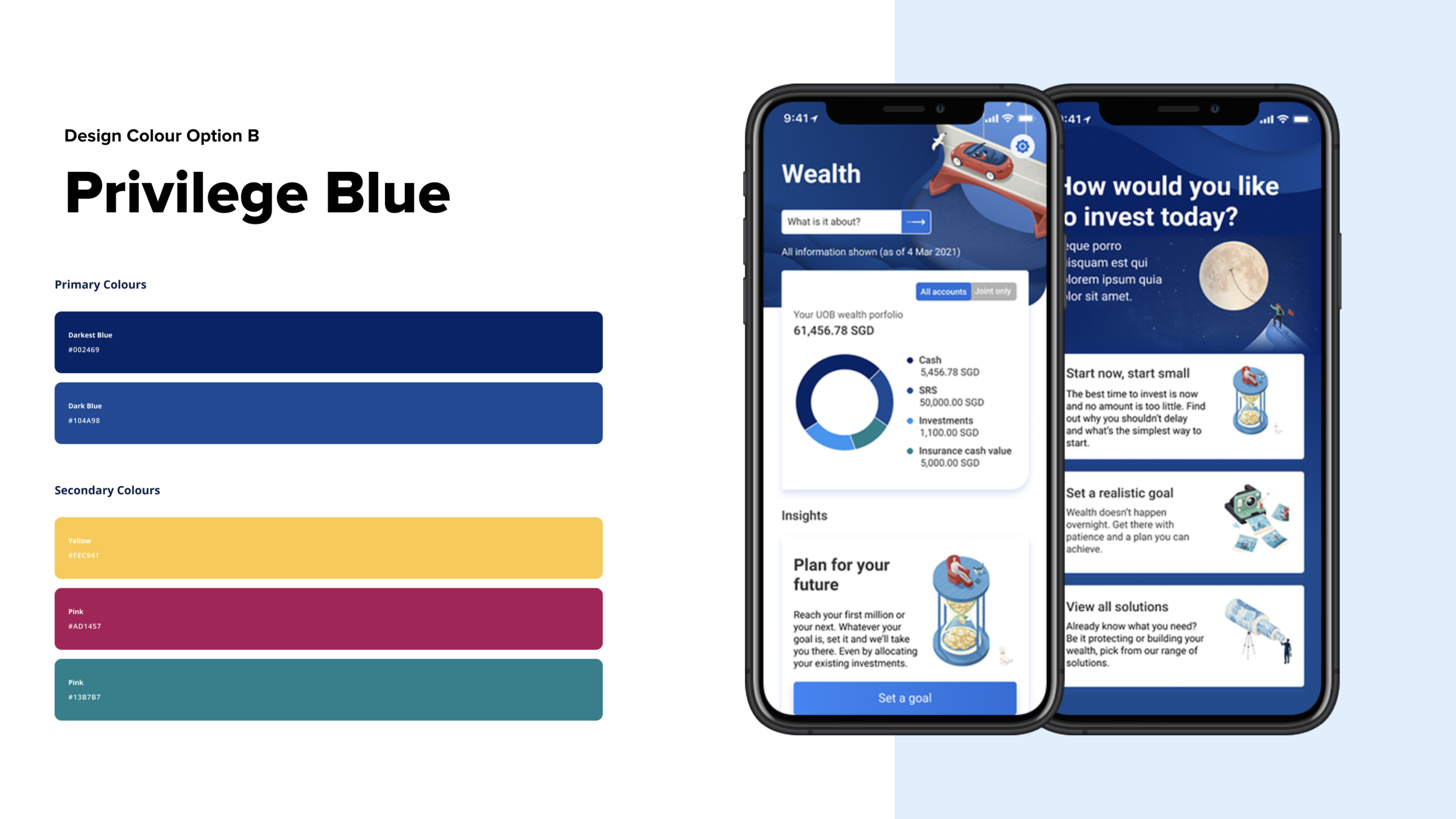
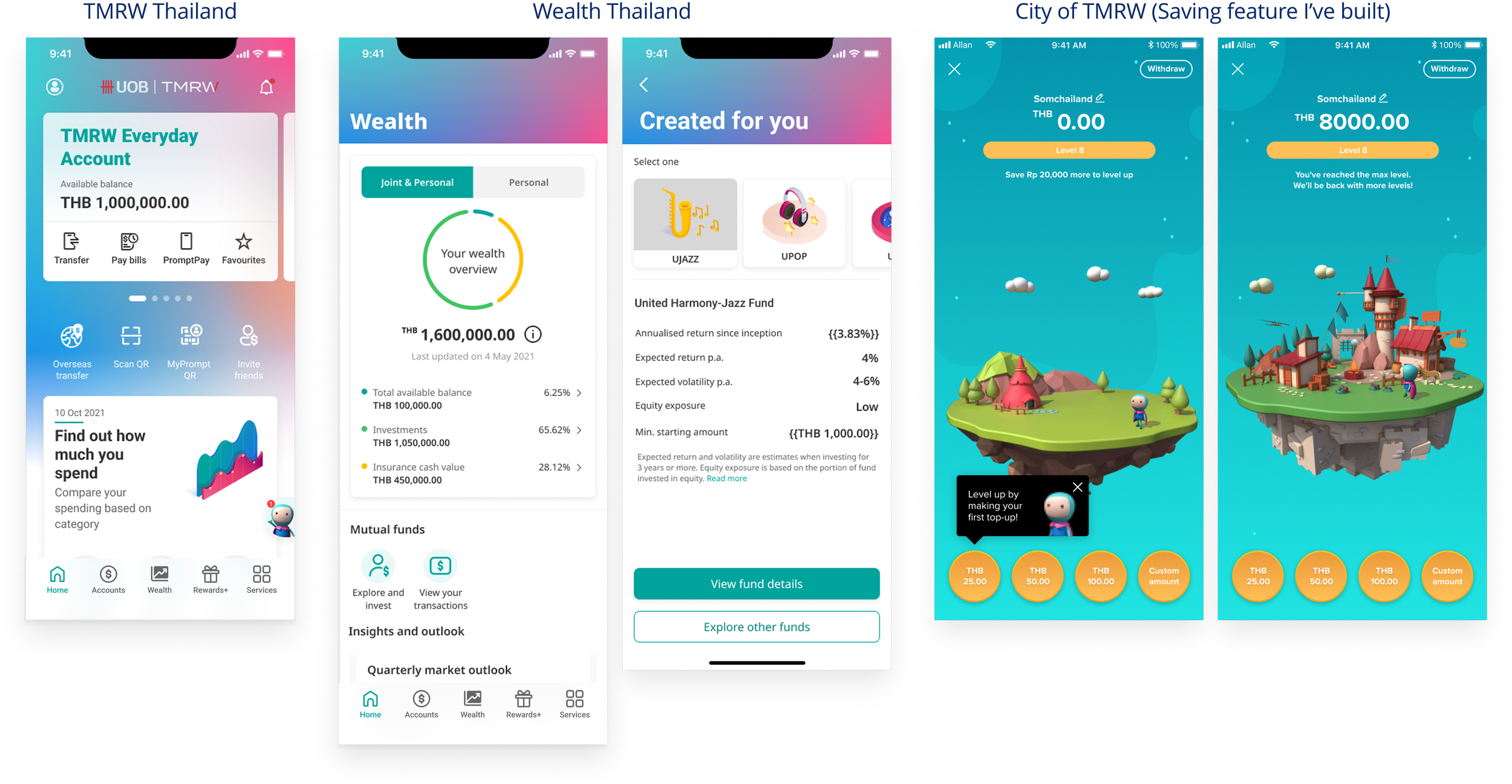
Also designed for TMRW Thailand and Indonesia. TMRW was new in both markets, and most customers were young professionals and young families. So each market got its own colour scheme and fewer features than Singapore.
Outcomes
What I’ve learnt

01 / Ambiguity gave me room
At the start, there was no fixed idea of what investing in the app should be. We defined it with stakeholders, then tested and refined it with users over several rounds.
02 / Ask the people closest to customers
RMs hear customer concerns every day. Workshops with them surfaced pain points and kept the bank’s needs in the same room.
03 / Design for the many, leave small paths for the few
The core flow serves most customers. Smaller groups get a small pathway, like New-to-wealth mass market, not their own product. Other requests were parked for phase 2.
04 / Not every market needs the full product
New markets got what their customers needed first, not a copy of Singapore.